


Key takeaways:
- Robotic process automation uses software bots to execute rule-based digital tasks by replicating human interactions with existing applications.
- RPA software layers onto existing systems without requiring infrastructure rebuilds or replacements, which is what separates it from a full IT overhaul.
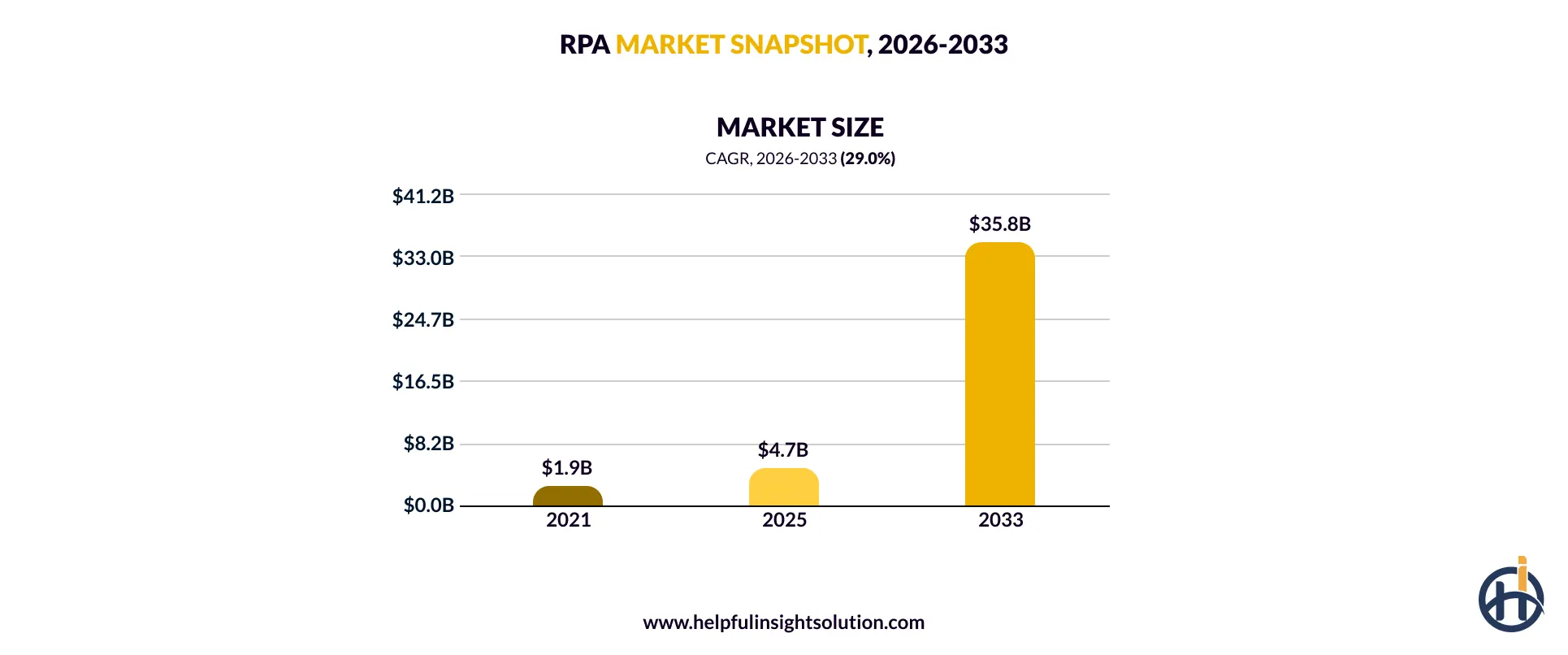
- The global RPA market is projected to reach $35.8 billion by 2033, growing at nearly 29% annually.
- There are three types of RPA, attended, unattended, and hybrid, and each one serves a different workflow need.
- Bots don’t maintain themselves, ongoing monitoring and logic updates are essential to keeping RPA solutions performing reliably over time.
Business operations have gone through several real technology changes over the past few decades. Cloud computing, enterprise software adoption, the early wave of workflow automation each one changing how work actually got done. Robotic process automation is the quieter shift in that list, because it never asked anyone to rebuild anything.
It is a software that uses bots that are layered onto the applications already running. It handles the repetitive, rule-based work like invoice processing, and customer onboarding paperwork, that’s high in volume but too narrow to justify a full IT overhaul.
That’s exactly why adoption moved faster than most enterprise technology before it. According to Grand View Research, the global RPA market is projected to grow from around $6.0 billion in 2026 to $35.8 billion by 2033, nearly 29% a year. Few enterprise technologies sustain that kind of growth rate for seven straight years.
With adoption picking up across companies of every size, the bigger challenge is knowing which processes are actually worth automating. If you’re planning to implement it but aren’t sure it’s worth the investment, this RPA guide walks you through everything you need to know, how it works, where it pays off, and where it doesn’t.
What is robotic process automation (RPA)?
Robotic process automation is rule-based software that uses digital bots to handle structured, repeatable tasks inside a business process like processing emails and copying data between systems, by mimicking the way a person interacts with an application.
The bot follows fixed logic and doesn’t make judgment calls. It logs into the same applications an employee would use and works through the same screens, rather than connecting through backend APIs.
That’s the part that matters technically because RPA operates through the interface itself, it can run on legacy systems without anyone needing to rebuild or replace them. Paired with AI, this same bot logic extends into intelligent automation, where bots start handling work that involves some judgment instead of just fixed rules.
How does RPA work?
Behind every automated task is a structured process, bots are built, trained on rules, and connected to your existing systems. Here’s a breakdown of how RPA actually functions, from initial setup to live execution across your applications.
1. Process mapping
Every click, field, and decision gets documented first. This step defines exactly what the bot needs to do.
2. Bot configuration
Using a studio or low-code builder, RPA developers translate the mapped process into rules and logic the bot follows during execution.
3. Orchestration and scheduling
A control room manages bot runs, assigns tasks across the digital workforce, and routes exceptions to a person when something breaks.
4. Live execution
The software robots run the task on real systems, the same applications a person uses, just continuously and without manual errors.
Types of RPA: Which one fits your business?
RPA is generally split into three types which are attended, unattended, and hybrid, based on how much human involvement each one needs.
Attended bots assist an employee in real time, unattended bots run on their own with no trigger needed, and hybrid setups combine both. Picking the right type matters for your RPA strategy, since the wrong fit can quietly limit the ROI you’re expecting.
1. Unattended automation
Unattended automation runs entirely on its own. No one has to start it, and no one stays involved once it’s triggered. The bot waits for a schedule or a system event, a new file showing up, a record hitting a certain status, then carries the task through from start to finish. This is the model behind most straight-through processing, since the bot doesn’t need a person standing by at any point.
When to choose unattended automation
- High transaction volume that runs the same way every time
- Back-office work like payroll, claims, or invoice matching
- Tasks that need to run overnight or outside business hours
- Batch jobs like data migration or system reconciliations
- Work where speed matters more than real-time human input
2. Attended automation
Unlike unattended bots, attended automation needs a person in the loop. A human triggers it during an active task, a support call, and the bot handles the repetitive part while the human keeps the judgment calls.
This setup is also becoming the execution layer for AI agent workflows, where the agent decides what needs to happen and the bot carries it out on the screen.
When to choose attended automation
- Live customer service calls needing real-time data lookup
- IT helpdesk tickets requiring on-the-spot resolution
- Sales calls with instant quote or pricing generation
- Front-desk workflows needing compliance checks mid-task
3. Hybrid automation
Hybrid automation runs attended and unattended RPA bots within the same process, switching between the two as the workflow demands it. A claim might begin unattended, the bot pulls records and runs initial checks on its own, then hands off to a person once it hits a step needing approval or judgment.
This is common in longer processes like order-to-cash or procure-to-pay, where some steps are purely rule-based and others aren’t. It’s also where enterprise automation programs tend to land once they move past single-process pilots into something that spans an entire workflow.
When to choose hybrid automation
- Multi-department processes such as order-to-cash or procure-to-pay
- Operations scaling beyond a single automated task or step
- Finance and insurance workflows that need a person to approve certain steps
- Workflows where bots handle volume but exceptions still need a person
Business benefits of robotic process automation
RPA benefits don’t all arrive on the same timeline. Some show up almost immediately, like fewer errors and faster processing. Others take longer, especially the cost savings that only become significant once automation spans more than one process. Understanding that difference matters before you build a business case around it.
In this section, let’s explore the key enterprise advantages of robotic process automation.
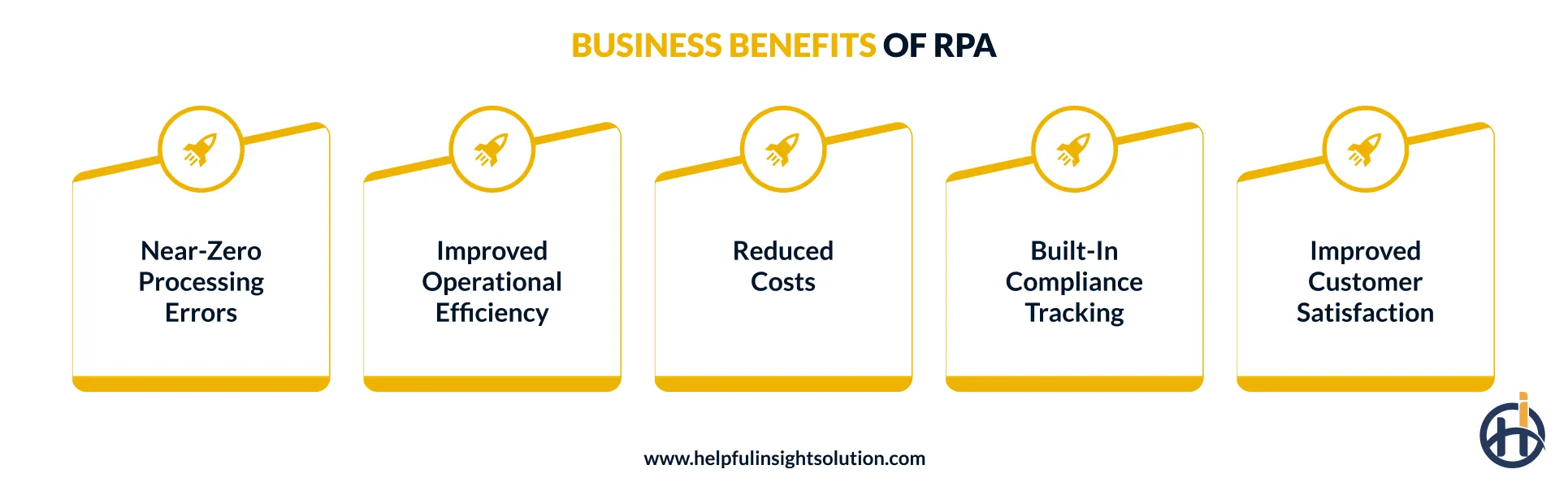
1. Near-zero processing errors
Where human accuracy naturally declines with fatigue and repetition, software bots execute identical logic on every transaction, regardless of volume. This consistency is what eliminates the recurring manual errors, mistyped figures, skipped fields, duplicate entries, that cost organizations time and money.
More capable RPA tools also handle exceptions better, catching issues before they turn into bigger downstream problems.
2. Improved operational efficiency
Operational efficiency is where RPA’s impact shows up fastest. RPA systems run continuously, without slowing down even after the hundredth task. A process that took a team most of a day can clear in minutes once automated. That speed adds up across departments, not just in faster individual tasks, but in fewer bottlenecks slowing down the workflow they’re part of.
3. Reduced costs
Automating manual and repetitive tasks through UI automation cuts down on labor hours spent on work that doesn’t need human judgment to begin with. Organizations using RPA have reported labor cost reductions of 50% to 60% on automated processes, a figure that’s hard to ignore once weighed against the cost of running the platform itself.
4. Built-in compliance tracking
Every bot action gets logged automatically, creating a clear audit trail that holds up during regulatory reviews without anyone manually pulling records together. This matters most in industries where one missed step can mean a real penalty. RPA in insurance, for instance, is increasingly used to keep claims processing consistent enough that audits stop being a scramble every quarter.
5. Improved customer satisfaction
A lot of a support rep’s time goes into looking things up like account history, order status, past tickets, before they’ve even started solving the actual problem. RPA chatbots remove that lookup time. The bot has the information pulled and ready before the representative even picks up the call.
As a result, wait times drop and customers get a faster answer without the support team scrambling between three different systems.
RPA vs AI: What is the difference?
RPA and AI aren’t the same technology. RPA executes rule-based tasks exactly as defined, with zero deviation. AI works through ambiguity instead, learning from data and adjusting its output as conditions change. Honestly, the mix-up happens because most vendors market both under the same “automation” umbrella.
In the table below, let’s explore the key difference between AI and robotic process automation.
| Factors | RPA | AI |
| Definition | Software bots built to handle fixed, repetitive digital tasks automatically | It’s technology built to learn from data, reason through context, and improve its output over time |
| How it works | Copies the exact clicks and screen actions a human would normally perform | Studies patterns in data and uses them to predict outcomes or generate a response |
| Data handling | Works well with structured data, things like fixed fields, forms, and predictable formats | Can process structured data as well as messier inputs like text, images, and unstructured content |
| Decision-making | It just follows whatever rule it was given, there’s no judgment call involved anywhere in the process | It looks at the situation, weighs probability, and decides on a response based on patterns it has learned |
| Implementation speed | Live within a few weeks for processes that are simple to map out | Takes longer, since models need proper training and testing |
| Limitations | It breaks fairly easily if the interface or the underlying process changes without warning | It needs large, high-quality datasets and ongoing monitoring, or accuracy can drift over time |
| Best suited for | High-volume and repetitive tasks | Complex, judgment-based tasks with variable inputs |
RPA and AI work best as a pair, not as substitutes for each other. When combined, RPA handles the execution and repetitive steps, while AI brings in the judgment RPA can’t, reading context, handling exceptions, making predictions. Together, that’s intelligent automation. Many businesses now combine RPA with AI development services to build that layer instead of treating the two as separate tools.
RPA Use Cases: How different industries are using it
Almost every industry has the same kind of bottleneck somewhere, high-volume and repetitive work that doesn’t need a person making decisions, just executing. That’s exactly where RPA industry use cases tend to show up.
Below, we break down how specific sectors are putting automation to work, and what’s actually driving the adoption in each one.
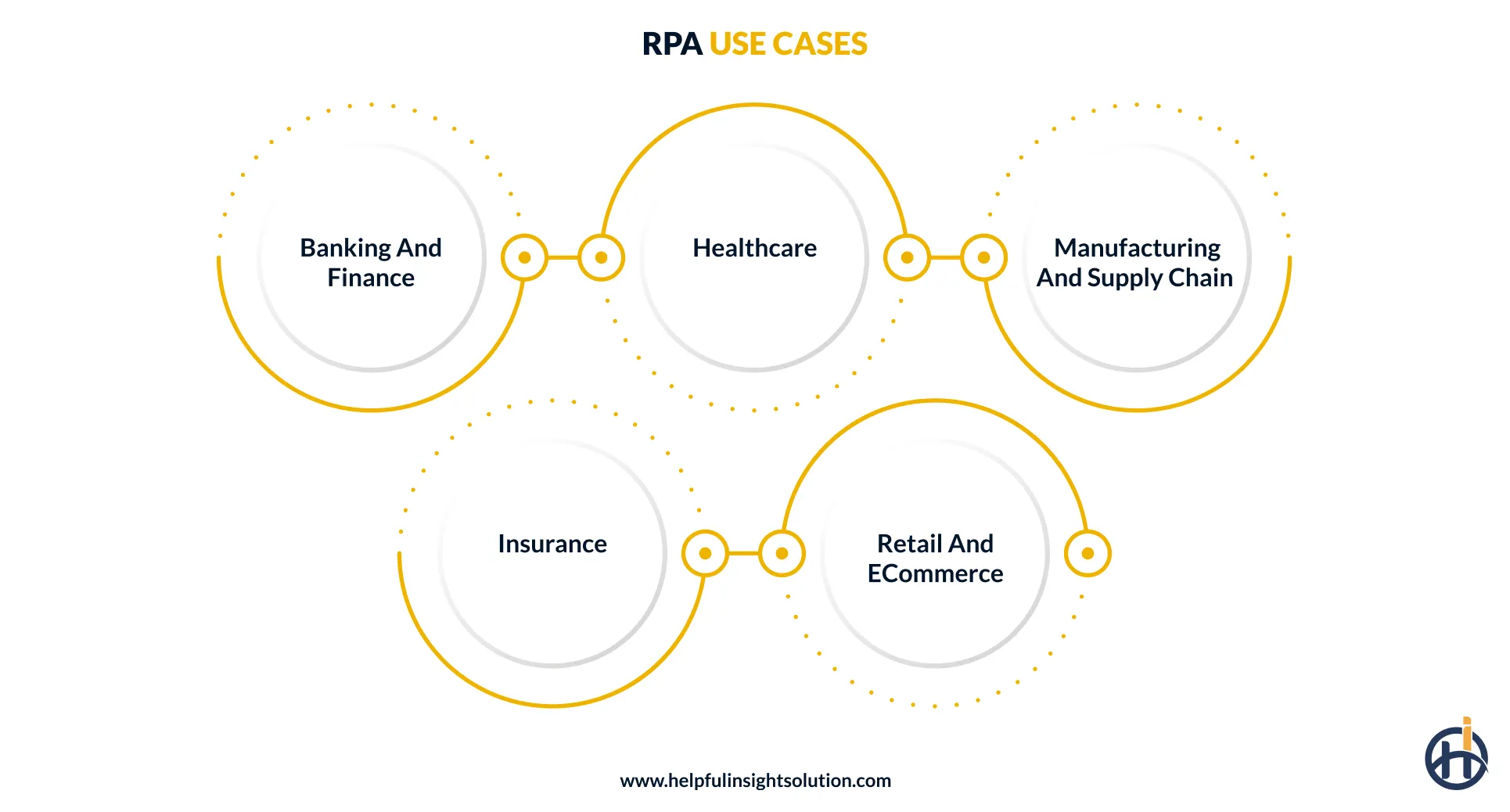
1. Banking and finance
- For loan and mortgage applications, bots pull applicant data and run eligibility checks automatically, only sending edge cases to an underwriter for review.
- Bots pull the invoice details, check them against the purchase order, and post the entry into the ERP system, no one has to type it in manually.
- RPA bots scan transactions against rule-based thresholds in real time and flags anything suspicious before it becomes a real loss.
2. Healthcare
- A bot checks healthcare provider availability, books the appointment, and sends the reminder automatically.
- Patient records management is also a strong use case of RPA. It keeps data synced across systems and maintains accurate, audit-ready records without someone manually updating each entry.
- RPA tools help in compliance reporting as they pull the right data and generate the reports regulators expect, reducing the manual work around HIPAA and other healthcare audits.
3. Manufacturing and supply chain
- Keep stock levels monitored automatically and trigger reorders before a shortage actually impacts production.
- Qualify vendors, generate purchase orders, and track delivery performance, the kind of work that normally takes up days of a procurement team’s time.
- Checking supplier invoices against purchase orders and goods received catches mismatches early, before making payment.
4. Insurance
- Pull applicant data from multiple databases and structure it for underwriters, cutting down the time it takes to assess risk on a new policy.
- Claims automation extends further into document verification, bots check submitted paperwork against policy terms and flag anything incomplete before it reaches an adjuster’s desk.
- Premium calculations and billing also run more smoothly through RPA, with bots applying the right rates and triggering invoices without manual recalculation each cycle.
5. Retail and eCommerce
- RPA software monitors competitor pricing across multiple platforms continuously, flagging the adjustments worth making instead of relying on daily manual checks.
- Refunds typically get delayed during manual review. Verifying a return against policy terms and triggering the refund automatically closes that gap.
- Customer segmentation runs off real purchase behavior instead of a static list, sending offers that actually match what someone bought.
How to choose the right robotic process automation tool?
Choosing an RPA tool depends on your team’s technical skill, the systems it needs to connect with, security requirements, and how much you plan to scale automation. Below are the factors worth checking before you commit to one RPA software platform over another.
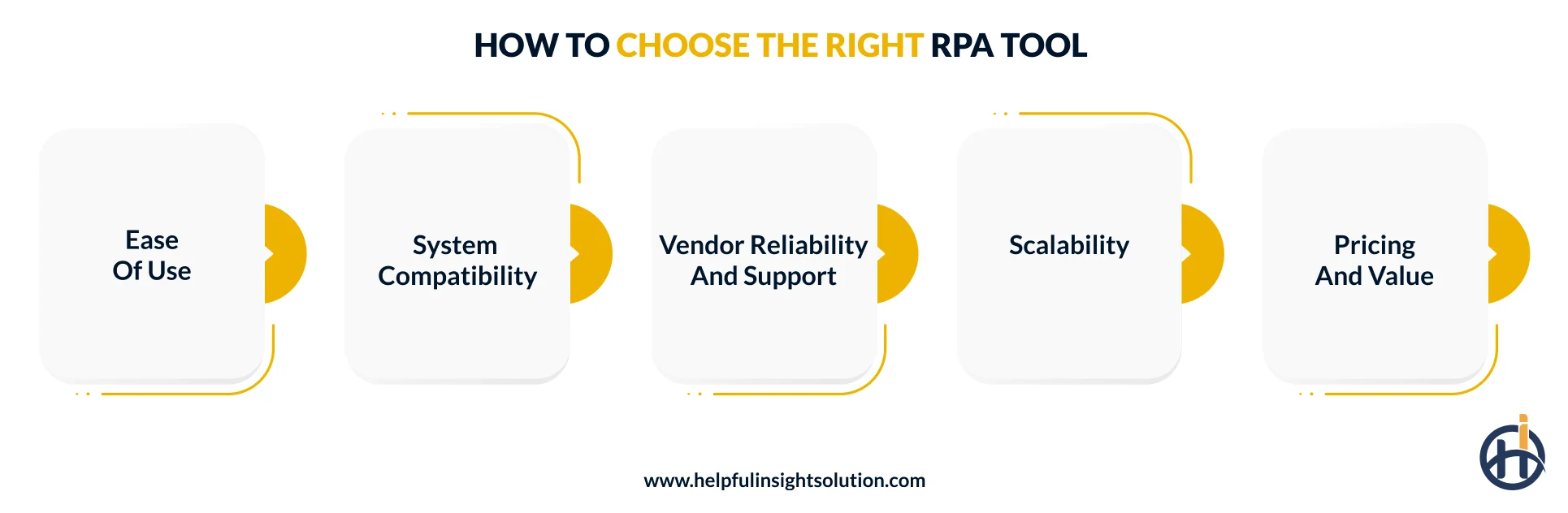
1. Ease of use
Always choose a tool that’s simple to use. The interface should be visual and drag-and-drop, so someone outside the IT team can build basic rule-based workflow automation without needing to write code or wait on a developer.
2. System compatibility
Compatibility with existing systems matters more than most buyers initially realize. A strong RPA solutions platform connects with legacy software, modern applications, and APIs directly, without requiring a system overhaul or causing downtime during integration.
3. Vendor reliability and support
A vendor’s track record matters as much as the product. Check their experience in your specific sector. For example, RPA in healthcare involves compliance needs a generalist vendor may miss. Reliable and dedicated support also determines how smoothly your RPA implementation runs once you’re past the pilot stage.
4. Scalability
Most businesses start RPA with one or two processes and don’t think much about what happens after. RPA scalability becomes the real test once volume grows or new departments want in. A tool that can’t keep up at that stage stops being a solution and starts slowing things down.
5. Pricing and value
Cost adds up beyond the license fee, implementation, training, ongoing maintenance, vendor support, all of it factors into the real price. The goal isn’t choosing the cheapest tool, it’s finding one where the automation ROI justifies the total spend over time, not just the number on the contract.
How to implement RPA in your business: Step by step
RPA implementation generally moves through identifying the right process, building a business case, choosing a platform, and scaling once a pilot proves out. Here’s a closer look at what each of these actually involves.
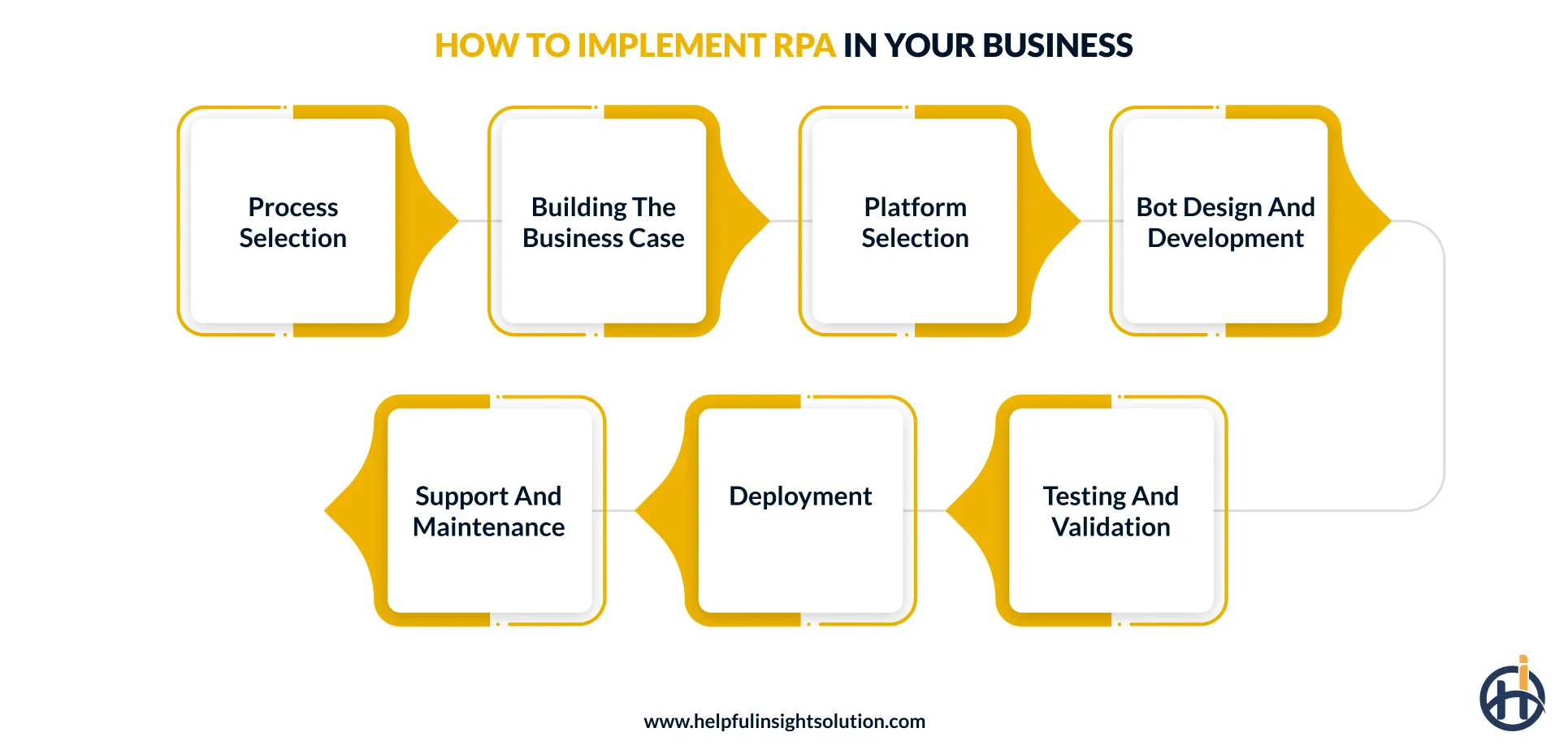
1. Process selection
To begin, identify which process actually makes sense to automate first. Look at where manual work is creating the most drag. High volume tasks with predictable steps and a clear error pattern are the strongest candidates.
Start there, get it running properly, and use that result as the benchmark before expanding automation any further into your operations.
2. Building the business case
Leadership rarely approves automation spending without seeing the numbers first. Map out what the process currently costs, then estimate what changes once it’s automated. Grounding that in actual RPA use cases from the relevant sector adds credibility, and tying it to a digital transformation goal gives the investment a strategic reason beyond cutting one manual task.
Here’s what a solid RPA business case should cover:
- Current cost of manual process in time and headcount
- Projected savings once automation takes over
- Error reduction rate and its downstream cost impact
- Timeline to first return on investment
- Risk of not automating against competitors already doing it
3. Platform selection
Platform selection comes down to fit, not features. Check how well it connects with your existing systems, how much technical skill your team actually has, and whether the vendor has moved toward agentic automation for future use.
Platforms with built-in process mining are worth prioritizing too, they surface new automation opportunities without needing a separate tool to do it.
4. Bot design and development
Before RPA bots go into development, the workflow gets mapped out in full covering every step, branch and point where something could go differently than expected.
Dedicated developers work from that documented sequence inside the chosen robotic process automation platform, configuring the bot to handle each action exactly as defined, including what happens when something falls outside the normal flow.
Here’s what this phase typically covers:
- Full workflow diagram with all decision branches mapped
- Integration points with existing databases and applications
- Exception handling, retry logic, and operational alerts
- Screen scraping or OCR configuration for unstructured inputs
5. Testing and validation
Testing is where you find out whether the blueprint actually works under real conditions. Software robots need to be validated in a staging environment covering functional checks, load testing, and exception scenarios before they touch live systems to see how the bot holds up under production volume. Edge cases matter here too, the scenarios that don’t happen often are usually the ones that cause the most damage when they do.
6. Deployment
Production deployment happens in stages, not all at once. One process goes live first, the RPA implementation team watches how it runs against real data and real volume, and only then does the next one follow.
Where a center of excellence RPA exists, it owns that sequence, setting the standards for what’s ready to deploy and what still needs work.
7. Support and maintenance
Bots break when the applications they run on get updated, when a screen changes or a business rule shifts. Keeping RPA solutions working properly means active monitoring, not a periodic check-in. Someone needs to be watching their performance and catching failures early.
At enterprise automation scale, where dozens of processes run simultaneously, that monitoring function becomes as important as the initial deployment itself.
Here’s what ongoing maintenance involves:
- Real time monitoring of bot runs, logs, and failure rates
- Logic updates triggered by application or process changes
- Regular security and compliance checks across the bot fleet
- Continuous ROI tracking against original automation targets
- Proactive identification of processes ready for automation next

Challenges in RPA implementation and how to overcome them
RPA challenges don’t always come from the technology itself. Most implementations run into trouble because of decisions made before a single bot gets built, wrong process selected, resistance from the teams affected, or governance that wasn’t planned for at scale.
This section covers the key challenges faced during implementing robotic process automation and their solutions.
1. Integrations with legacy systems
Legacy systems create a specific kind of problem for RPA as the bot has to interact through a UI that was designed for a person, not a software process. Any change to that interface, even a minor one, can break the automation without warning and with no easy way to predict when it will happen next.
The Solution
Prioritize automating processes tied to the most stable applications first. Where direct connection isn’t possible, AI-powered RPA can use computer vision to read screens that standard bots can’t handle reliably.
2. Scalability after pilots
Getting RPA one bot working is the easy part. The problems show up when a business tries to move from three automated processes to thirty. Infrastructure that handled a pilot quietly becomes a bottleneck at scale, and without a proper operating model behind it, adding more bots just adds more points of failure across the program.
The Solution
RPA engineers should build the operating model before scaling, not after. Centralizing bot management and standardizing how RPA solutions get deployed across departments prevents the infrastructure debt that typically stalls enterprise rollouts.
3. Employee resistance
Automation announcements make people nervous, that’s just the reality. When employees hear robotic process automation are handling parts of their job, some disengage. That kind of quiet resistance is what slows digital transformation programs down more often than any technical issue does.
The Solution
Clear communication about what automation actually changes, and what it doesn’t, goes further than any training program. People adopt faster when they understand the RPA is handling the repetitive work, not replacing the role.
4. Governance and security gaps
Every automated workflow needs access to systems and data to function. That access, if poorly managed, creates exposure points that traditional IT security wasn’t designed to account for.
Fragmented deployments across departments make this worse, since governance that works for three automated processes not always scales cleanly to thirty without deliberate oversight built into the program from the start.
The Solution
Enforce least-privilege access and assign unique credentials to every automated workflow from the start. Under GDPR or HIPAA, that audit trail isn’t optional. AI-powered RPA monitors that access in real time, catching unusual activity faster than a quarterly review ever would.
Future of robotic process automation: What to expect next
RPA isn’t standing still. What started as task-level automation is now converging with AI, process intelligence, and agentic workflows. The future of RPA belongs to organizations that treat automation as a long-term capability. Here’s what that evolution actually looks like.
Let’s explore the key RPA trends.
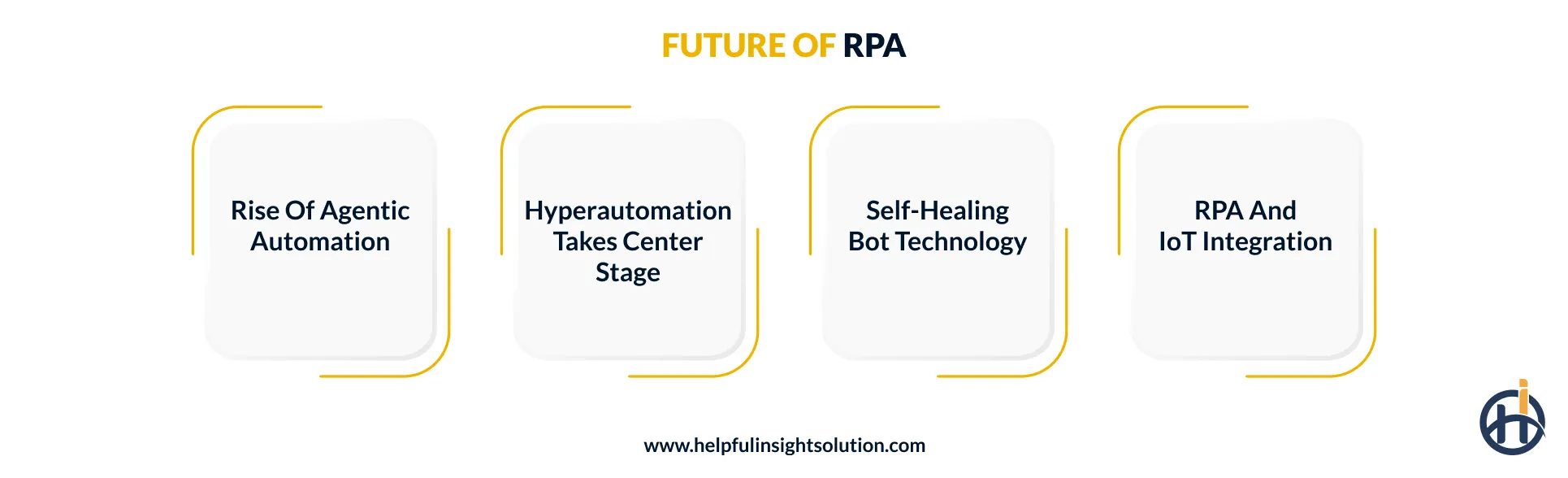
1. Rise of agentic automation
Today, robotic process automation executes what it’s told. Agentic automation changes that dynamic, AI agents interpret a high-level goal, decide what needs to happen, and hand specific tasks to RPA bots for execution. What used to require a developer mapping every step now has the system working that out on its own.
2. Hyperautomation takes center stage
Hyperautomation is where RPA evolves from individual automated processes into something that spans entire enterprise operations. Machine learning is what drives that forward, analyzing process data continuously and identifying where automation should go next.
What organizations can expect in the coming years is an automation program that doesn’t just execute tasks but keeps getting better at finding new ones worth automating.
3. Self-healing bot technology
One of the biggest ongoing costs in any RPA program is fixing software robots when the applications they run on get updated. In future, we can see self-healing technology the answer to that problem as bots monitor their own environment, detect when something has changed, and adapt their logic automatically.
4. RPA and IoT integration
Right now, RPA software works with data that’s already inside a system. IoT changes that. In the coming years, sensors on physical equipment will feed data directly into automated workflows. A machine running hot or a delivery arriving will trigger the right digital response automatically, without anyone having to manually log what just happened.
Helpful Insight can help you automate your business processes with RPA
Robotic process automation delivers the most value when it’s treated as a business decision, not just a technology one. The organizations getting it right aren’t necessarily the ones with the biggest budgets, they’re the ones that chose the right processes, built governance early, and scaled with a clear strategy behind every step.
Helpful Insight is a trusted robotic process automation services provider working with businesses across 30+ industries. We bring together process consulting, bot development, and long-term automation management under one roof, so every implementation is built to deliver returns from day one, not just after months of trial and error. From first use case to enterprise scale, we build automation programs that grow with your business.
If you’re ready to move forward, let’s talk about where automation fits in your operations and what it could realistically deliver for your business.
FAQs
RPA implementation costs typically range from $15,000 to $50,000 for a basic single-bot deployment, scaling up to $250,000 or more for enterprise-wide programs. The main cost variables are process complexity, number of bots, system integration requirements, and ongoing maintenance needs.
A single process can go live in 3 to 10 weeks. Scaling RPA implementation across multiple departments typically runs 4 to 9 months, sometimes longer if systems are complex or workflows haven’t been properly documented before development starts.
Banking, insurance, healthcare, and manufacturing get the most out of RPA, mostly because their daily operations run on high volumes of repetitive, rule-based work.
Invoice processing in finance, claims processing in insurance, inventory management in supply chain and ticket routing in customer service are top RPA examples.