

Key takeaways:
- AI app development is the process of creating applications that use artificial intelligence and ML models to process information, respond to inputs, and automate tasks.
- The global AI apps market is projected to reach $79,564.7 million by 2034, reflecting continued growth in AI-powered applications.
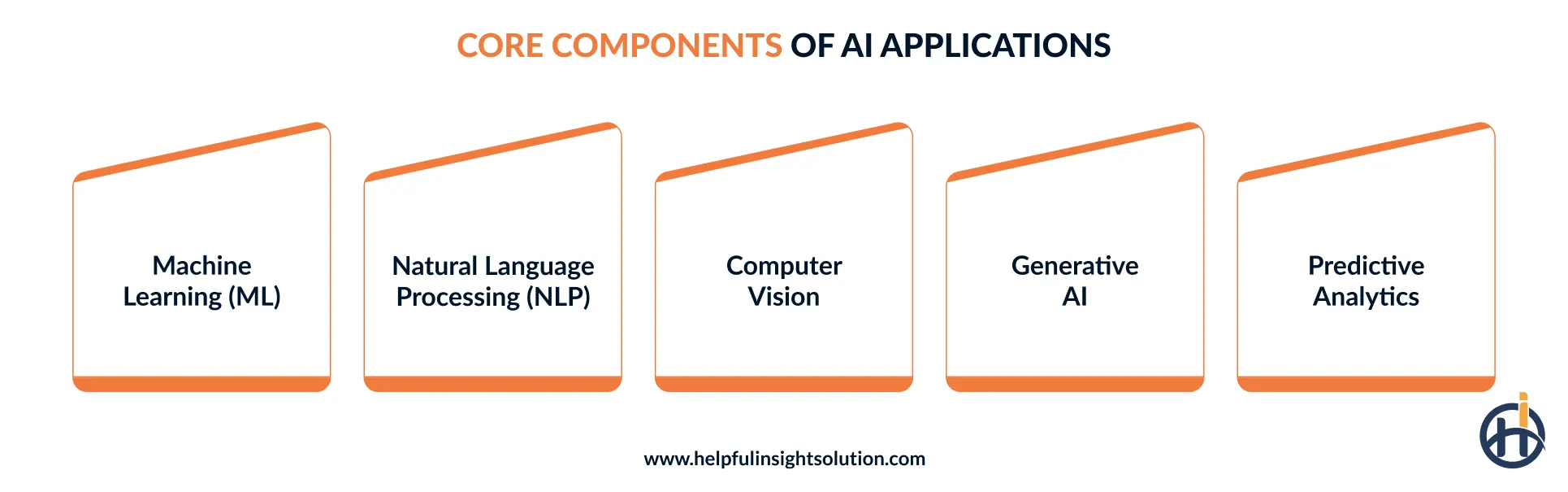
- Machine learning, NLP, computer vision, predictive analytics, and generative AI are core capabilities of AI-powered apps.
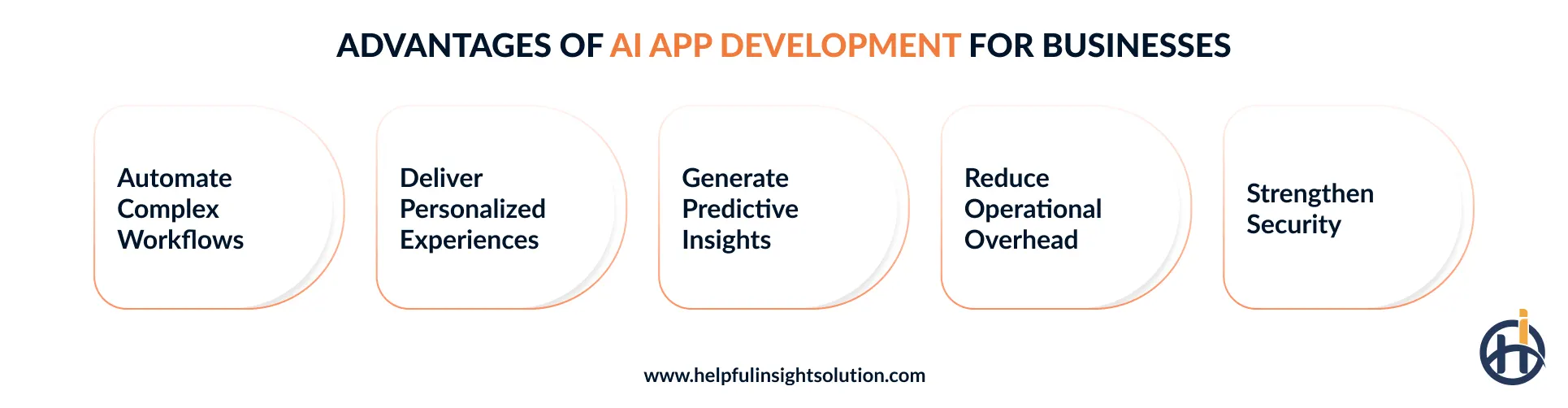
- The key benefits of AI apps include faster workflows, personalized customer interactions, data-driven decision support, and less manual effort across routine business activities.
- The cost to develop an AI app can range from $25,000-$80,000 for an MVP to $200,000-$500,000 or more for enterprise applications, depending on complexity, features, data readiness, and development team location.
Artificial intelligence is no longer limited to research or experimental projects. Companies are finding practical uses for it in customer support, data analysis, automation, and other routine operations. Rather than relying on separate AI tools for individual tasks, many are exploring AI application development to bring these capabilities together in an application built around specific needs.
AI is also changing what users expect from digital products. This can be seen in AI in mobile apps, where recommendations, virtual assistants, and personalized content are becoming more common. Similar capabilities are now being considered across web and enterprise applications as well. The focus is shifting toward finding where AI can add practical value without making the overall product experience unnecessarily complex.
There are several reasons companies are exploring AI-powered applications, particularly when the technology can address a specific operational problem. Reducing manual work and improving service delivery are two examples. This interest is reflected in market projections, with Market.us projecting the global AI apps market to reach $79,564.7 million by 2034.
An AI application needs careful planning before development begins. Decisions around technology, use cases, development costs, and potential challenges can all affect the final product. In this guide, we’ll look at how to develop an AI app and the key factors to consider before turning the idea into a working application.
What is AI application development?
AI app development refers to the process of building software applications that use AI and machine learning models to perform tasks that would traditionally require human intelligence. Unlike conventional applications that mainly follow predefined rules, AI-powered applications can interpret information, identify patterns, generate responses, and produce predictions.
The technology stack for development can vary by use case, with natural language processing (NLP), generative AI, computer vision, and large language models (LLMs) supporting different types of AI-driven functionality.
Traditional apps vs AI-powered apps: What’s the difference?
A traditional app follows predefined instructions, while an AI application can work with data to produce more adaptive results. Here’s a closer look at the key differences between the two mobile app development approaches and where each fits.
| Factor | Traditional Apps | AI-Driven Apps |
| Core Logic | Follow predefined rules and instructions | Use trained models to classify, predict, generate or rank outputs, depending on the application. |
| Data Processing | Process structured, predefined inputs | Analyze complex and varied data |
| Adaptability | Limited flexibility | Adapts to new inputs |
| User Experience | Follows fixed interaction patterns | Provides more personalized interactions |
| Development Complexity | Relatively straightforward | More complex architecture |
| Development Cost | Usually lower initial development costs | Higher costs for AI infrastructure |
| Business Use Cases | Best for predictable business processes | Suited for intelligent, data-driven tasks |
Core capabilities of AI applications
There is no single AI capability that fits every application. AI app development may involve several technologies working together, depending on the problem being solved and the type of user experience required. Let’s look at the core components commonly used to power different types of artificial intelligence apps.
1. Machine learning (ML)
When an application needs to make predictions or recognize patterns, machine learning can provide the underlying capability. It allows apps to learn from historical data rather than depending entirely on manually defined rules.
Supervised learning can support prediction-based tasks, while unsupervised learning can uncover less obvious patterns. The right approach depends on the application’s data and intended outcome.
2. Natural language processing (NLP)
An app without natural language processing may rely on simpler matching or predefined rules for text input. Add it in, and the app starts picking up on context, intent, and the general shape of what someone’s trying to say, whether through text classification or straight-up response generation. This is the layer doing the work in most chatbots and search tools, anywhere the goal is understanding communication instead of just scanning for keywords.
3. Computer vision
Some mobile applications need to do more than process numbers and text. They also need to make sense of what appears in an image or video. Computer vision makes this possible by helping software detect objects, examine images, and identify relevant visual patterns. Developers can use it in AI-powered app development for quality checks, healthcare applications, security systems, and image-based search.
4. Generative AI
The role of generative AI is different from systems that mainly classify or predict. It creates new output based on the information it has been given. An application might use it to draft text, create an image, write code, or generate an audio response. For AI-driven mobile applications, this can add features that would otherwise require considerable manual effort.
5. Predictive analytics
Historical data is not only useful for understanding previous performance. It can also provide some indication of what may come next. Predictive analytics examines that information to identify patterns and make forecasts.
When built into an AI application, these predictions can record past activity and can tell an organization quite a bit, especially when similar patterns appear to give teams another input when planning resources, managing risks, or making operational decisions.
What are the benefits of AI app development for businesses?
From automating repetitive tasks to analyzing large amounts of data, AI can take on different roles within an application. The benefits of developing an AI app will vary by its purpose, users, and underlying data.
Let’s look at the areas where AI application development can make a practical difference.
1. Automate complex workflows
Businesses can use AI apps to manage workflows that would otherwise require several manual handoffs. The application can interpret incoming requests, process relevant information, and trigger actions across connected systems.
For example, AI chatbots can handle initial customer interactions before passing the required information into service workflows. This can reduce some manual steps when workflow and escalation rules are designed appropriately.
2. Deliver personalized experiences
AI solutions can examine user behavior and interaction history to identify preferences and adjust what the application presents. With application development using AI, organizations can deliver more relevant product suggestions, content, offers, and messages instead of showing the same experience to every user.
3. Generate predictive insights
A sudden change in customer behavior or demand may be easy to miss when information is spread across large datasets. Developing an AI app can help examine that information and pick out patterns that deserve attention.
When historical and current data are analyzed through ML models, an AI application can uncover signals that deserve attention. These could include changing demand, likely customer churn, or an emerging risk. Having this information earlier can help enterprise teams plan their response instead of reacting after the issue has already occurred.
4. Reduce operational overhead
A large share of operational effort can go into tasks that follow the same steps every time. An AI application can take on some of this work, from answering common customer questions to checking records and processing routine information. For companies looking to build an app with AI, this can help lower administrative effort while making everyday processes more consistent.
5. Strengthen security
As the volume of digital activity grows, security teams have more data and events to monitor. AI app development solutions can help by analyzing this activity continuously and bringing unusual behavior to attention.
This is particularly useful for enterprises managing confidential information. Reported findings also suggest that companies using AI-driven solutions have seen data privacy compliance improve by about 30%, adding another potential benefit to AI adoption.
AI application use cases across industries
AI mobile apps are being developed for different industry-specific requirements rather than a single purpose. Healthcare, financial services, retail, and manufacturing are using the technology in ways that fit their respective workflows and customer needs.
Here are some of the key use cases of an AI application across these sectors.
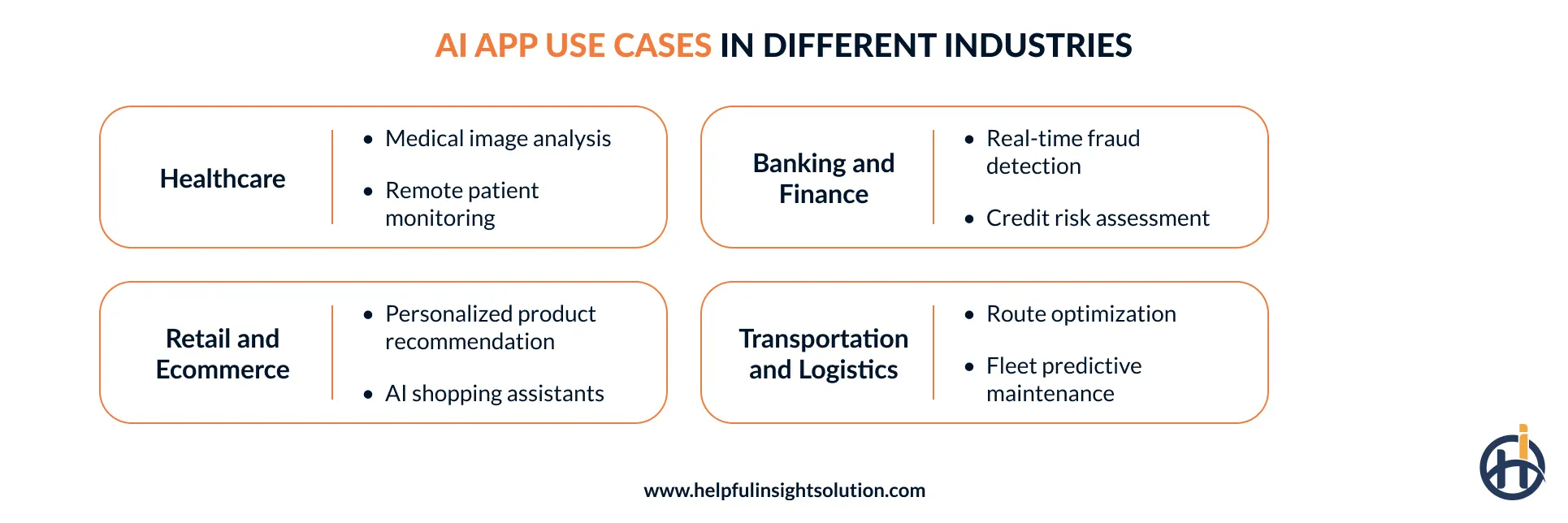
1. Healthcare
- Medical image analysis
Medical scans often contain details that are difficult to spot at a glance. An AI app can examine these images and bring potentially relevant areas to the clinician’s attention. For example, image segmentation can distinguish different structures within a scan, while diagnostic imaging tools can support the review of abnormalities. This can make scan review more accessible during clinical workflows.
- Remote patient monitoring
Wearable devices can collect health readings throughout the day, but that information still needs to be monitored. Custom AI applications can track these readings and flag unusual changes in heart rate, blood pressure, or glucose levels. This AI in healthcare use case helps clinicians keep track of patients between appointments and identify when follow-up may be needed.
2. Banking and finance
- Real-time fraud detection
Unusual account activity does not always look the same, which makes fixed fraud rules difficult to rely on alone. An AI-driven mobile banking app can analyze a customer’s transaction history and identify activity that stands out. With behavioral analysis and real-time fraud detection, the application can flag suspicious payments or transfers and notify the customer or financial institution when further verification is needed.
- Credit risk assessment
An AI mobile app can give lenders a broader view of an applicant before a credit decision is made. Along with traditional credit scoring, it can review transaction history, spending patterns, and other permitted financial signals to assess repayment risk.
AI-based credit assessment can help financial institutions review a broader range of relevant financial information, giving lenders additional input when assessing customers with limited conventional credit histories.
3. Retail and Ecommerce
- Personalized product recommendation
Ecommerce apps do not need to show the same products to every customer. AI application development can look at recent searches, items viewed, previous purchases, and other shopping activity to work out what might interest someone next.
A recommendation engine can bring products forward based on a customer’s previous activity. Generative AI in eCommerce can support a more conversational search experience, where customers can ask for a type of product or describe what they have in mind.
- AI shopping assistants
An AI virtual assistant gives shoppers another way to interact with an eCommerce app. Rather than opening different sections to find an answer, a customer can simply ask what they need. The assistant can look up product information, suggest suitable options, or provide order details. This type of app development with AI brings shopping and basic customer support together in one place.
4. Transportation and logistics
- Route optimization
When a driver has several deliveries to make, one delay can affect the rest of the route. An AI-powered logistics app can keep track of the driver’s location and changing road conditions, then suggest a more practical route when something gets in the way. As a result, logistics teams can respond to traffic, road closures, and delayed stops without depending entirely on a route planned earlier.
- Fleet predictive maintenance
Vehicle maintenance becomes harder to plan when repairs only happen after something goes wrong. With AI in app development, logistics apps can use relevant sensor history and other maintenance data to identify patterns linked to wear or possible faults. These models need suitable labels or proxy signals and regular validation before their results are used for maintenance planning.
How to develop an AI app: Step-by-step development process
If you are wondering how to build an AI app, it’s worth knowing that the right approach depends on what you want the application to do, the data available, and your business goals. Below, we’ll walk through the main stages, from shaping the initial idea to developing and deploying the app.
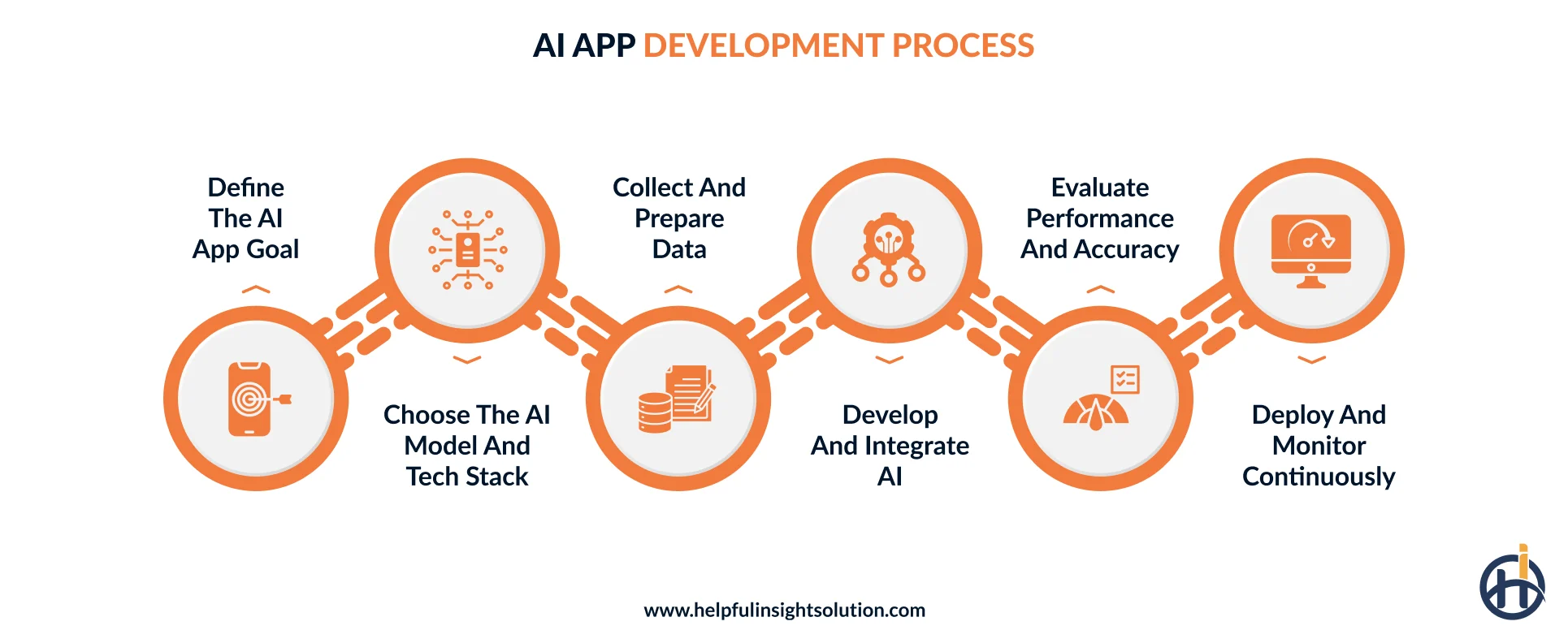
1. Define the AI app goal
A clear problem gives an AI app a reason to exist. Before selecting technologies or starting an app development process, examine the process that needs improvement and define what a better outcome would look like. The team can then document the application requirements and decide where AI fits into the solution. For AI application development, this groundwork also makes later decisions about data, models, infrastructure, and integrations more focused.
Use this stage to:
- Pinpoint the process or problem needing improvement
- Define the application’s intended users and purpose
- Map the workflows the app must support
- Determine suitable areas for AI capabilities
- Establish KPIs for measuring application performance
- Review required data and technical resources
2. Choose the AI model and tech stack
Next, the dedicated development team needs to select the AI model and technology stack for the application. The choice should be based on the app’s workload, data, expected output, and performance requirements. In artificial intelligence app development, a recommendation engine may use a different machine learning model from an application designed for document analysis or image recognition.
Alongside the model, assess the programming framework, APIs, cloud infrastructure, security requirements, and expected traffic before the AI application development process begins.
Here is a look at commonly used technologies and tools for AI app development:
| Component | Tools and Technologies |
| Programming Languages | Python, JavaScript, TypeScript, Java |
| Backend Frameworks | FastAPI, Django, Node.js |
| AI/ML Frameworks | PyTorch, TensorFlow, Scikit-learn, Keras |
| Generative AI / LLMs | Hugging Face Transformers, OpenAI, Anthropic, Google Gemini |
| Databases | PostgreSQL, MySQL, MongoDB |
| Containers & Orchestration | Docker, Kubernetes |
3. Collect and prepare data
Good training data is the foundation of an AI mobile app that needs to make reliable predictions or recommendations. Start by gathering information from relevant business systems and approved sources. Then clean inconsistent records, remove duplicates, and address missing values. If the machine learning model requires labeled examples, make sure those labels are accurate and consistent before training begins.
4. Develop and integrate AI
With the data ready, the development team can start putting the AI functionality into the application. The selected model is trained or connected through an AI API, depending on the project.
During AI app development, developers also build the application logic around the model. Then they connect it with required systems and consider response latency, error handling, and fallback options so an unexpected model response or failed request does not disrupt the application.
5. Evaluate performance and accuracy
Testing an AI application involves more than checking whether the screens and functions work correctly. QA engineers also need to examine how well the underlying model performs with different types of input.
Testing should go beyond checking whether the usual use cases work. Use a separate set of data to assess the model’s performance, then try situations that may be less predictable in real use. A small pilot can be especially useful here. It gives the team a chance to see how people interact with the AI app and fix practical issues before going live.
6. Deploy and monitor continuously
After testing is complete, the AI mobile app is ready to move into production. The hosting environment should be able to handle the expected number of users, while access controls, data protection, and monitoring should be in place from day one. Cloud infrastructure can then be configured around the app’s actual workload and usage patterns.
Launching the app does not mean the development work is over. The team should keep an eye on response quality, errors, user activity, and overall model performance. As new data comes in, results may change over time, so periodic model reviews are useful. Fresh training data, security patches, and model updates can be introduced when the app needs them.
How much does it cost to build an AI app?
The cost to build an AI app can start at around $25,000-$80,000 for an MVP. A mid-level AI application may require $80,000-$200,000, while enterprise-level solutions can reach $200,000-$500,000 or more. These figures are broad estimates because AI projects vary considerably in scope. The following factors usually have the greatest impact on the final AI app development cost:
1. App complexity
Application complexity directly influences the development scope and budget. An AI app with advanced workflows, multiple interfaces and scalable infrastructure requires more engineering and testing than a basic product. As these requirements grow, development time and overall project costs increase.
2. AI features and functionality
The mobile app features influence cost because each capability requires different technologies and implementation work. A basic virtual assistant may need limited resources, while ML models or autonomous workflows require deeper engineering expertise.
3. AI model selection
The choice of AI model can significantly change the project budget. Ready-made models and AI APIs generally require less development work, whereas custom model development or extensive fine-tuning involves machine learning expertise and greater computing capacity.
4. Data requirements
Data can become a larger cost factor when an AI application depends on information that is difficult to access or prepare. Cleaning records, labeling examples, and setting up data pipelines all require additional work, particularly when the application uses custom model training.
5. Development team geographical location
The location of mobile app developers can also significantly impact AI development costs. Hiring AI engineers in North America or Western Europe typically comes with higher hourly rates, while teams in countries across Asia and Eastern Europe may offer lower rates while providing a comparable level of service.
Monetization models for AI applications
The way an AI app makes money can vary as much as the application itself. A consumer app may rely on subscriptions, while an enterprise product could charge based on usage or access. These choices are worth considering early in AI application development to build a model that fits the product.
Let’s have a look at the different monetization strategies for AI-driven apps.
1. Subscription plans
For AI app development solutions that customers use on a regular basis, subscriptions can provide a straightforward way to generate revenue. Users pay monthly or annually and continue accessing the included features. Providers can also introduce different subscription tiers, giving users more advanced capabilities while creating room to cover model, hosting, and maintenance costs.
2. Freemium model
Under a freemium model, users can try an app without making an upfront payment. Revenue comes from those who move to a paid tier for greater access or additional capabilities. This approach can be useful for AI app development when the product benefits from high adoption, such as writing, design, or personal assistant apps.
3. Usage-based pricing
With a pay-as-you-go model, customers are charged for the AI resources they consume rather than paying one fixed amount. This approach can suit applications where usage varies significantly between customers, especially when each request, generation, or interaction creates an ongoing AI processing cost.
4. In-app advertising
An AI application can use advertising as its primary revenue source instead of charging users for access. This model is more suitable for consumer apps that can attract a sizable audience. For example, AI-powered language learning apps could keep lessons free and display ads at natural points between learning activities.
Challenges in AI-powered app development and how to overcome them
Building an AI app for a real business environment comes with its share of complications. Data may not be ready, integrations may take longer than expected, and a model that performs well in testing may behave differently with real users.
Let’s look at the common challenges and practical ways to handle them.
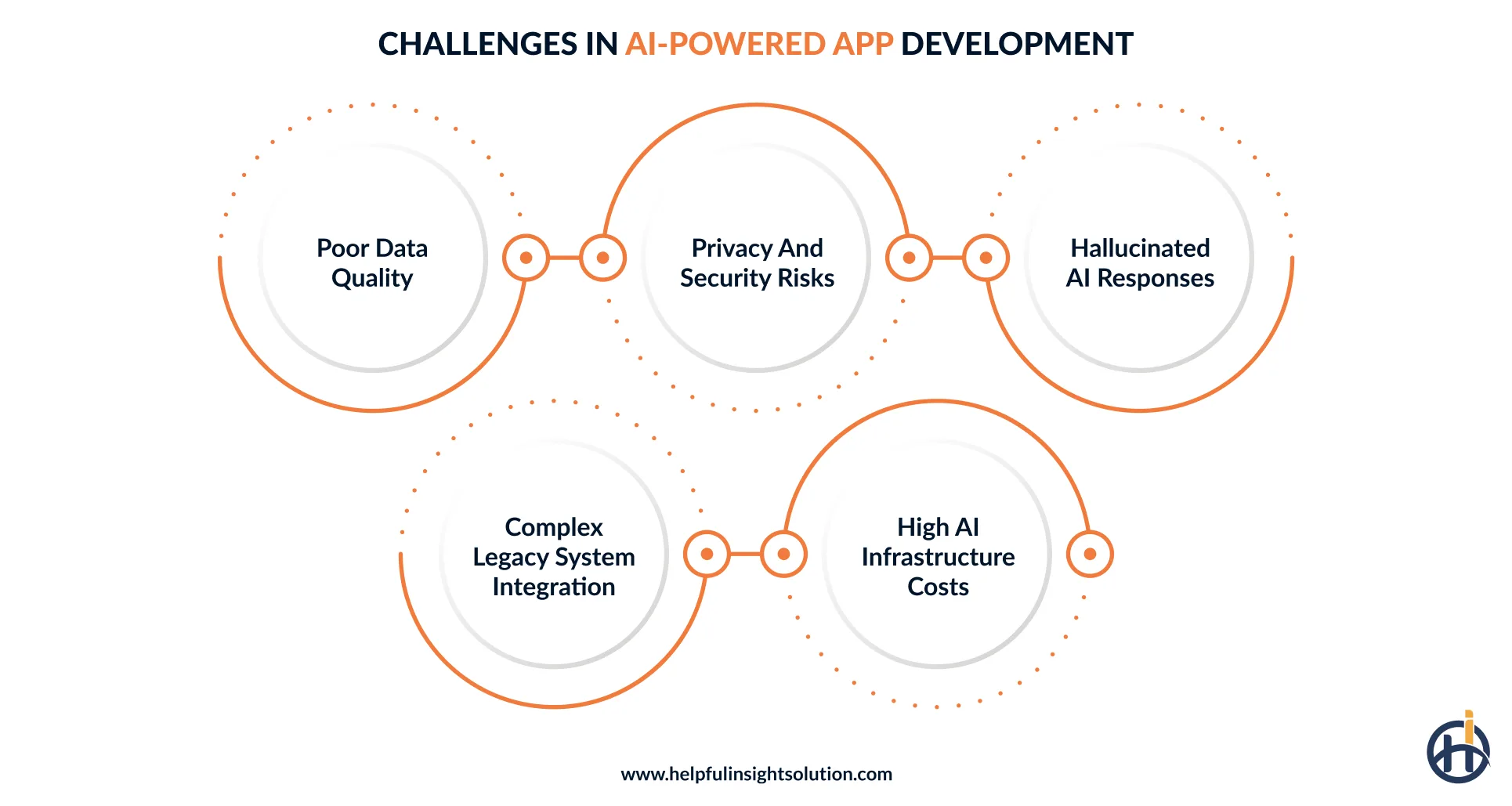
1. Poor data quality
The data available to a business may not be ready for an AI app. Missing details, incorrect entries, and conflicting records can affect the training process. Over time, these issues may lead to weaker predictions and inconsistent outputs.
The Solution
Review data sources before model training and establish rules for how information should be collected and maintained. Data validation can catch incorrect records, while automated cleaning can handle repetitive quality issues. For limited datasets, data augmentation or synthetic examples may provide additional material for model development where appropriate.
2. Privacy and security risks
An AI application may need information that a company cannot afford to expose. The concern becomes greater when that data moves between the app, databases, cloud services, or an external model. A weak connection or overly broad access could expose information that should remain private.
The Solution
Limit unnecessary data collection and keep access restricted to authorized users. Along with encryption, review applicable IT compliance regulations so privacy requirements are considered before the application goes live.
3. Hallucinated AI responses
Generative AI does not always know when it lacks enough information to answer. It may fill the gap with an incorrect response that appears believable. During AI app development, this needs attention, particularly when the application handles customer queries, documents, or sensitive business information.
The Solution
Limit unsupported answers by grounding the model in approved data sources. Prompt engineering, confidence checks, and human oversight can further improve response reliability.
4. Complex legacy system integration
The existing system often cannot simply be replaced when an enterprise decides to introduce AI. Older databases and applications may work differently from modern AI services, which makes integration harder. The development process then needs to account for those differences without disrupting day-to-day operations.
The Solution
Rather than replacing legacy systems, use API integration to create a controlled connection with the AI application. Middleware can help translate data between systems, while a modular architecture keeps future changes from affecting the existing setup.
5. High AI infrastructure costs
Running AI features can become expensive once an application starts handling large volumes of requests. Model inference, cloud computing, storage, and GPU usage can quickly increase the ongoing cost of AI application development, especially as usage grows.
The Solution
Match the model and infrastructure to the actual workload. Use a smaller model for tasks that do not need advanced capabilities, and avoid keeping high-cost resources running when demand is low. Autoscaling can add computing capacity when request volumes increase.
Conclusion
For businesses, AI application development is becoming less about following the latest technology trend and more about finding better ways to handle workflows that already exist. An AI-powered application can take over time-consuming tasks, make business information easier to work with, support everyday decisions, or give customers faster and more relevant service. The real opportunity is to identify where AI fits, then connect it with the processes and systems the business already relies on.
That is the approach we take at Helpful Insight. As an AI development company, we work with businesses across healthcare, banking, retail, logistics, and other industries to turn practical AI ideas into working applications. From AI model integration and data workflows to application architecture and third-party system integration, we look at what the product needs beyond the AI feature itself. The goal is to create a mobile application that can fit into existing operations and continue to support changing requirements as the business grows.
Have an AI application idea in mind? Share your requirements with us, and let’s discuss how it can be developed around your business needs.
FAQs
A simple AI app MVP may reach its first release within 3 to 6 months, but larger enterprise applications can take 6 to 12 months or more. The timeline can shift based on the condition of the data, number of features, technical complexity, model choice, integrations, and testing needs.
Existing AI solutions suit common requirements and quick implementation. A custom AI app development is better when your business needs specialized functionality, private data, or unique processes.
The steps to integrate AI into a mobile app include:
- Define the business problem and identify the AI use case
- Evaluate suitable AI models, APIs, and technology platforms
- Gather, clean, and prepare relevant application data
- Set up secure connections between the app and AI
- Integrate AI capabilities into existing mobile app functions
- Test, monitor, and continuously improve AI performance
To hire the right AI application development partner:
- Look for experience with applications similar to your business requirements.
- Make sure the company works with suitable AI models and development technologies.
- Ask how sensitive business and customer data will be protected.
- Check whether they can connect AI with existing systems and APIs.
- Understand how requirements, updates, feedback, and technical decisions will be handled.
- Find out how updates, monitoring, fixes, and future improvements will be handled.