


Key Takeaways:
- AI data integration connects, cleans, and matches data from different systems using machine learning. A person still reviews the low-confidence results.
- There are six steps: discover, ingest, map, clean, govern, and deliver. AI saves the most time on mapping, matching, and error checks.
- It pays off most where there are many sources and strict rules, such as healthcare, finance, insurance, and retail.
- Most problems come from old systems, weak data, schema changes, and unclear ownership. Each one has a direct fix.
- Start small: one use case, two or three sources, and a data readiness check before buying any tool.
- Measure the result with hours spent per new source, error rate, and time to production.:
Company data rarely sits in one place. Sales data is in the CRM, finance data is in an ERP, and support data is in a ticketing tool, and each one defines a customer a little differently. When an AI model pulls from all three, it can get three different answers.
| Gartner expects organizations to abandon 60% of AI projects that lack AI-ready data through 2026. S&P Global also found that 42% of companies dropped most of their AI initiatives in 2025, up from 17% the year before. |
AI data integration is the work of connecting that data and cleaning it up so AI can use it. It uses machine learning to match fields across systems, find duplicates, and flag errors, so engineers do not have to do all of it by hand. Anyone planning AI development should look at this step early, because the model will use whatever data it is given, good or bad.
This blog gives you an insight into how AI integration works, what technology and architecture it needs, where it is used, what goes wrong, and how to measure ROI.
What Is AI Data Integration?
AI data integration is the use of machine learning and automation to combine data from different systems into one trusted view. It covers the full path: finding sources, mapping fields, cleaning records, and delivering data to analytics tools, models, and applications. In short, it is data integration where software does more of the work that people used to do by hand, and people review the results.
Natural language processing is a good example. It reads unstructured text, such as contracts, emails, and clinical notes, and turns it into fields that other systems can store and search. Without it, much of this text stays out of reach of analytics.
The same idea goes by other names. Some vendors use AI-powered data integration for tools with built-in matching and cleaning. AI in data integration is a broader phrase for any step where a model does work that rules used to do.
AI Data Integration vs Traditional Data Integration
Traditional integration relies on rules that people write and maintain. An engineer maps each field, sets each transformation, and fixes each break. That works for stable systems with few sources. It becomes slow when sources multiply or formats change often. AI-based methods share that work between the model and the engineer.
| Area | Traditional integration | AI-based integration |
| Field mapping | Manual, one rule at a time | Model suggests matches, a person approves |
| Data quality | Fixed rules written in advance | Learns normal patterns and flags outliers |
| Schema changes | Pipeline breaks until someone fixes it | Detects drift and proposes a fix |
| Unstructured data | Mostly out of scope | Text and documents are read with NLP |
| Monitoring | Alerts after a failure | Alerts on odd volume or values earlier |
AI Data Integration vs AI-Powered Analytics
Integration prepares the data. Analytics uses it. AI-powered analytics tools build dashboards, forecasts, and answers from data that already sits in a clean place. If the inputs are wrong, the output is wrong. Integration is the step before analytics, and AI models of every kind depend on it.
Why AI Data Integration Matters for Enterprises Now?
AI data integration matters now because most AI projects fail on data, not on the model. Gartner predicts that through 2026, organizations will abandon 60% of AI projects that lack AI-ready data.
Company data sits in many separate systems, and AI can only use what it can reach. Connecting and cleaning that data is the first step to making AI work.
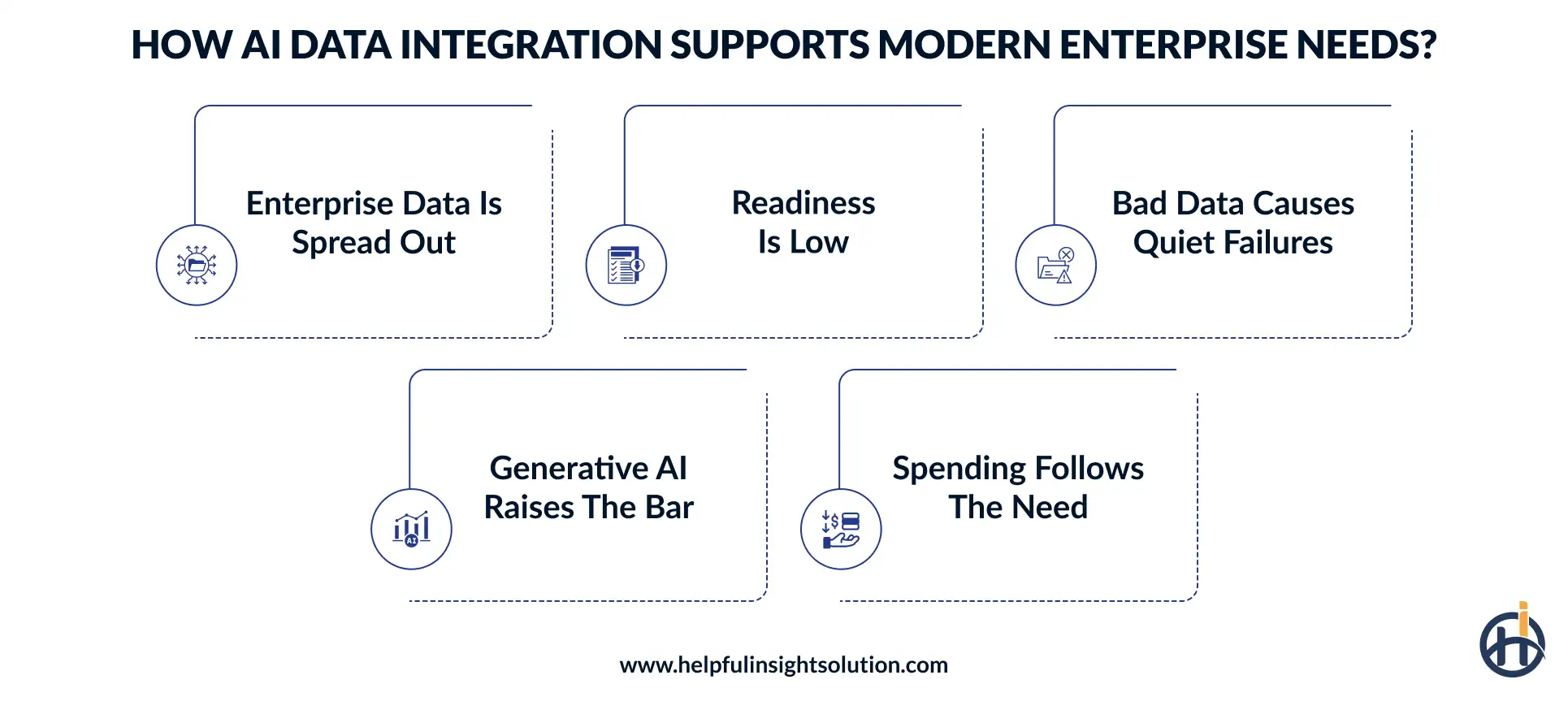
1. Enterprise data is spread out
MuleSoft’s 2025 Connectivity Benchmark Report found that organizations use 897 applications on average, and 45% use 1,000 or more. The same report found that 95% of IT leaders see integration as a hurdle to using AI well.
2. Readiness is low
A Gartner survey found that 63% of organizations either lack the right data management practices for AI or are unsure they have them. Gartner also predicts that through 2026, organizations will abandon 60% of AI projects that lack AI-ready data. Separately, S&P Global Market Intelligence reported that 42% of companies dropped most of their AI initiatives in 2025, up from 17% a year earlier.
3. Bad data causes quiet failures
A model trained on duplicate customer records may count one buyer as three. A retrieval system that reads an outdated policy will quote it with confidence. None of these problems come from the model, and a bigger model does not fix them.
4. Generative AI raises the bar
Language models answer from the data they can reach, so conflicting or outdated records lead to wrong answers. Interest in artificial intelligence data integration has grown for this reason. Machine learning trends show a similar pattern: as more models reach production, demand for dependable data grows with them.
5. Spending follows the need
Straits Research values the global data integration market at $12.68 billion in 2025 and projects $27.77 billion by 2034, a growth rate of 9.1% a year. Other research firms publish different figures because they define the market differently. Read the numbers as a direction, not an exact measure.
Global data integration market size, USD billion. Source: Straits Research.
How AI Data Integration Works: Step-by-Step Pipeline
It follows the same flow as any data pipeline, with machine learning added at the steps that take the most manual effort. A typical pipeline has six steps.
1. Discover and profile sources
Scanners catalog databases, SaaS apps, files, and APIs. Models then profile each column for type, missing values, and patterns. A column labeled field_7 that holds phone numbers gets tagged as such, so engineers do not need to open every table to learn what it contains.
2. Ingest the data
Data moves in batches, through change data capture, or as a stream. Batch loads suit reports that run overnight. Real-time data processing suits cases like fraud checks, where a delay of hours is too long. Models can also watch each feed and flag a sudden drop or spike in volume.
3. Map and match
This is where AI data mapping saves the most time. A model suggests which source field maps to which target field, using names, values, and context. Entity resolution then links records that describe the same person or company, such as J. Smith, Acme Corp and John Smith, Acme Corporation. These matching models are a form of machine learning development applied to internal data work.
4. Clean and validate
Models flag outliers, duplicates, and format errors. They can also standardize dates, currencies, and units by reusing the AI data mapping logic from the previous step. Low-confidence fixes go to a person for review. This mix of learned rules and human approval is what separates intelligent ETL from older jobs where every rule is hand-written.
5. Govern and secure
The system records lineage, applies access rules, and masks personal data. Each field gets a tag, such as customer email or financial. These tags let the platform decide who can see a field and where it may be sent.
6. Deliver and monitor
Clean data goes to a warehouse, a feature store, a vector database, or an application. Monitoring watches freshness, volume, and drift, and alerts the team before bad data reaches a model. A well-built AI data integration pipeline keeps a person in the loop at the mapping and cleaning steps until the error rate is low.
Key Technologies Behind AI-Powered Data Integration
Several technologies work together, and AI in data integration rarely depends on one model alone.
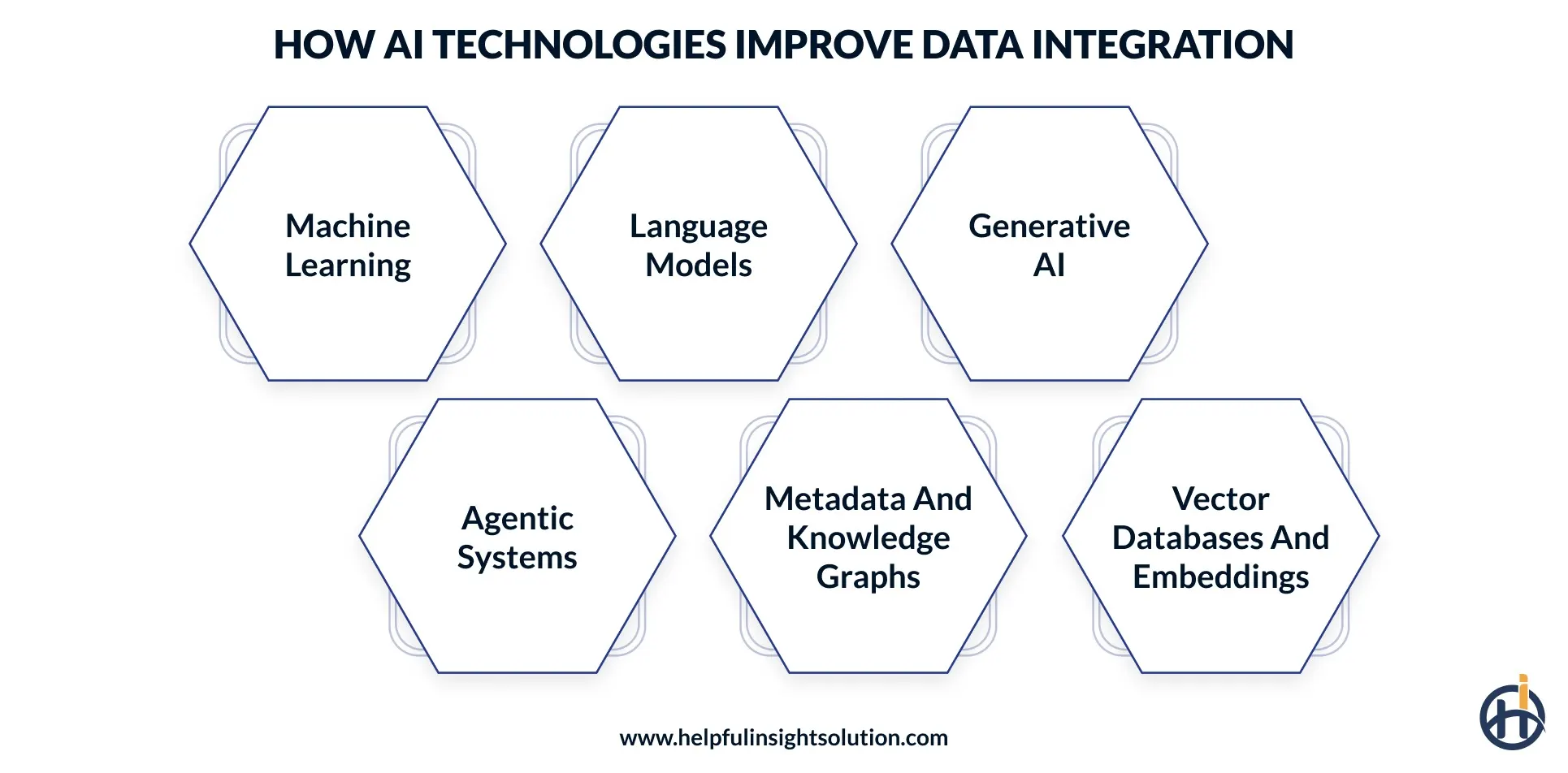
1. Machine learning
Supervised and unsupervised models handle field matching, entity resolution, and anomaly detection. They learn from the corrections that engineers make, so suggestions improve over time. This layer does most of the routine matching and checking.
2. Language models
Large language model development has made it practical to read invoices, contracts, and notes at scale. Models can also draft transformation code and explain in plain words what a mapping does, which helps new team members and auditors.
3. Generative AI
Generative AI data integration lets an engineer describe a transformation in plain English and review the SQL it produces. It also writes pipeline documentation and creates synthetic test data, which avoids copying real customer records into test systems.
4. Agentic systems
Agentic AI data integration uses AI agents that plan and run tasks, such as spotting a failed load, checking the cause, and proposing a fix for approval. Standards such as the Model Context Protocol define how agents connect to tools and data. Agents need narrow permissions and a log of every action.
5. Metadata and knowledge graphs
Catalogs and graphs hold what data means and how it relates. Models use this context to map fields correctly, for example by knowing that cust_id in one system and client_ref in another point to the same entity.
6. Vector databases and embeddings
These store text and other content as numbers so systems can search by meaning instead of exact words. Retrieval-augmented generation depends on them, because the model must pull the right passages before it answers.
Types of Data Integration Patterns AI Can Enhance
AI does not replace the main integration patterns. It improves how each one is built and run. Some systems have no API, and robotic process automation fills that gap by copying data through the user interface, while AI helps by reading screens and documents. Sensor-heavy systems are another case, because IoT application development produces constant event streams that need filtering and labeling before they reach a model. Most enterprises run several patterns at once, so the choice depends on how fast data must move and how often source formats change.
| Pattern | What it does | Where AI helps |
| ETL and ELT | Moves and transforms data in batches | Drafts transformations and tests data quality |
| Change data capture and streaming | Sends changes as they occur | Spots odd event patterns and handles schema changes |
| API integration | Connects applications through APIs | Maps payloads across API versions and flags failing calls |
| Data virtualization | Queries data in place without copying it | Suggests which queries to cache |
| Replication | Copies data between systems | Checks that copies match the source |
What Are the Benefits of AI Data Integration?
The main benefits of integrating AI data are time saved, fewer errors, and better inputs for models. AI-driven data integration also shortens the wait between a business request and usable data. Results vary with data quality and team skill, and no published figure fits every company. Each benefit below follows from less hand-built mapping and earlier error detection.
1. Less manual work
Suggested mappings and automated checks cut the hours spent on repeat tasks such as renaming columns, matching codes, and fixing formats. Engineers spend more time on design and on cases that need judgment, and less time on routine cleanup that adds little value. Over a year, that time adds up across every new source.
2. Fewer errors
Models catch duplicates and outliers that fixed rules miss, because they learn what normal data looks like for each source. Fewer bad records reach reports and models, which also means fewer corrections after the fact and less distrust of the numbers. Trust matters, because teams stop using data they have seen go wrong.
3. Faster onboarding of new sources
A new source connects faster when most of the mapping is suggested and only needs review. This matters after mergers, vendor changes, and product launches, when many systems must join the data stack at once and the team cannot map each one by hand.
4. Access to unstructured data
Text, PDFs, and images become usable fields. Contracts, claim notes, and support emails hold facts that never appear in a database table, and language models can pull them into a structured form that teams can search, count, and analyze.
5. More stable pipelines
Drift detection catches changes, such as a renamed field or a new date format, before they break a load. Teams then fix a small issue early instead of repairing a failed report on deadline, and downstream users see fewer outages and fewer gaps.
6. Better model inputs
Consistent, labeled data supports more accurate models. Predictive analytics services rely on a clean history of orders, usage, and events, and integration is what provides that history. Without it, forecasts mix records that do not match and the results are hard to trust.
AI Data Integration Use Cases Across Industries
The strongest use cases involve many sources, strict rules, or fast-changing formats.
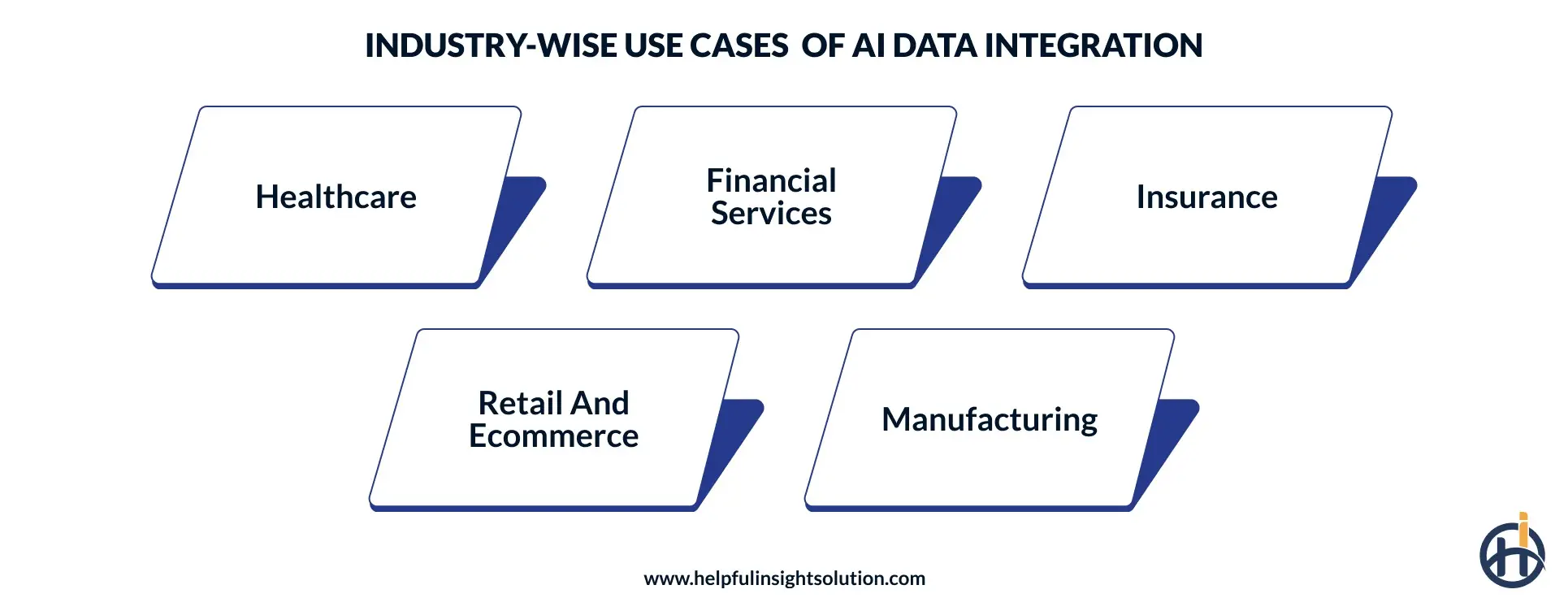
1. Healthcare
Patient data sits in health records, lab systems, imaging, and billing. NLP can pull structured fields from clinical notes. Privacy rules such as HIPAA shape every design choice, so any healthcare software development effort needs access control and audit logs from the start.
2. Financial services
Banks and lenders combine transactions, identity checks, and outside signals to feed fraud and credit models. Lineage matters because regulators ask where a number came from, which is a standing concern in fintech software development. Speed matters too, since a fraud check that runs a day late has little value.
3. Insurance
Claims, policies, photos, and third-party data arrive in different formats. Integrated data helps triage claims and flag possible fraud. These are the same inputs that insurance software development projects must connect, and mismatched policy and claim IDs are a common source of errors.
4. Retail and ecommerce
Catalogs, inventory, orders, and browsing events feed demand forecasts and recommendations. Teams doing ecommerce development often meet duplicate product records first. Forecasts built on predictive analytics in ecommerce are only as good as the product and order data beneath them.
5. Manufacturing
Sensor data, ERP records, and maintenance logs combine to predict equipment failures. Each source uses its own time format and machine IDs, so matching them is the hard part. Once matched, maintenance teams can plan repairs before a line stops.
AI Data Integration Architecture: What an AI-Ready Data Stack Looks Like
A sound architecture has layers, and each layer has one job. Separating them lets one part change without a rebuild. Most enterprises buy the core components and still custom software development for connectors to legacy systems and internal tools.
The goal is AI-ready data: accurate, complete, current, documented, and open to the right people. Open table formats such as Apache Iceberg and Delta Lake let several engines read the same data without copies. The layers below describe a common setup, not a required one.
| Layer | Purpose |
| Sources | Databases, SaaS apps, files, APIs, and event streams |
| Ingestion | Batch loads, change data capture, and streaming, with checks on volume and freshness |
| Storage | A lakehouse or warehouse, plus a vector store for retrieval |
| Processing | Transformations, intelligent ETL jobs, entity resolution, and quality checks |
| Metadata and lineage | A catalog, a glossary, and a lineage graph that shows where each value came from |
| Governance and security | Access rules, masking, retention, and audit logs |
| Serving | A feature store, APIs, and a retrieval layer for AI applications |
| Observability | Freshness, volume, drift, cost, and failure alerts |
Common AI Data Integration Challenges and How to Solve Them
Most problems come from old systems, weak data, and unclear ownership, not from the AI itself. Teams short on staff can hire machine learning developers with data engineering experience or train current engineers, because the tools still need people who understand the data.
1. Silos and legacy systems
A lot of companies still run a system from ten or fifteen years ago that nobody wants to touch. It has no API, and the only way to get data out is a nightly file, or a person copying numbers by hand. The AI never sees any of it.
Solution: Begin with the question of what the use case actually needs from that system. Often it is two or three tables, not everything. Change data capture can copy those tables as they change. If the system offers nothing at all, robotic process automation can read the screen. Build a custom connector only for systems that will stay for years. Retire the rest when you can.
2. Poor data quality
A model does not know that a record is wrong. If the same customer appears three times, it treats them as three customers. If half the phone numbers are blank, it works around the gap and gives an answer anyway.
Solution: Fix errors where the data starts, because cleaning later never keeps up. Write plain rules, such as every order needs a customer ID. Score each dataset on blanks, duplicates, and bad formats, then work on the worst ones first. A weekly look at the scores is enough to catch a dataset that is getting worse.
3. Privacy and compliance
Integration moves data around, and that is the risk. A column of birth dates or account numbers can end up in a test system, a shared folder, or a prompt sent to a language model.
Solution: Tag sensitive fields as soon as they enter the pipeline. Remove or mask the ones a model does not need. Keep logs of who opened what. If GDPR or CCPA applies, get legal to look at the design before it is built. Changing a finished pipeline to meet a rule costs far more.
4. Wrong AI suggestions
AI mapping tools are right most of the time, and that makes the wrong answers hard to spot. A field called date might be an order date in one system and a ship date in another. Generative AI data integration adds a quieter risk. A model can write a join that runs cleanly and returns the wrong rows. No error appears, so nobody checks.
Solution: Treat every suggestion as a draft. Let the tool give each one a confidence score. Approve the high scores automatically and send the low ones to a person. For any code the model writes, run it on a small sample where you already know the right answer. Keep a count of how often reviewers say no. When that number is low and steady, you can allow more automation.
5. Schema drift
Someone on another team renames a column or changes a date format. They have no reason to tell the data team. The pipeline fails overnight, and the dashboard is blank in the morning.
Solution: Use drift detection, which compares today’s structure with yesterday’s and alerts on any change. Store each version of the schema so the team can see what changed and when. Ask the owners of source systems to give notice before changes. A rename that is caught early takes minutes to fix, and one found after a failure can take days.
6. Unclear ownership
Ask who owns the customer table, and you may get three different answers. Each team keeps its own copy, the copies drift apart, and meetings turn into arguments about whose number is right.
Solution: Give each domain one owner, such as customers, orders, or products. That person answers for quality, definitions, and access requests. Write down what key terms mean, because active customer can mean different things to sales and finance. Check the list once or twice a year.
7. Cost growth
A pilot on three sources is cheap. The full program on thirty is not. Storage, compute, and model usage grow together, and the cost is spread over so many tools that it is easy to miss until the bill arrives.
Solution: Track cost per pipeline, not just the total. Process only new or changed records, and reuse results that have not changed. Agentic AI data integration needs extra care here. An agent with broad access can change production data or repeat a costly task in a loop. Give it narrow permissions, set a spending limit, and log everything it does.
How to Build an AI Data Integration Strategy
A workable strategy is short and specific. AI data integration for enterprises works best as a program with owners, not a one-time project. The steps below keep the work focused and make progress easy to check.
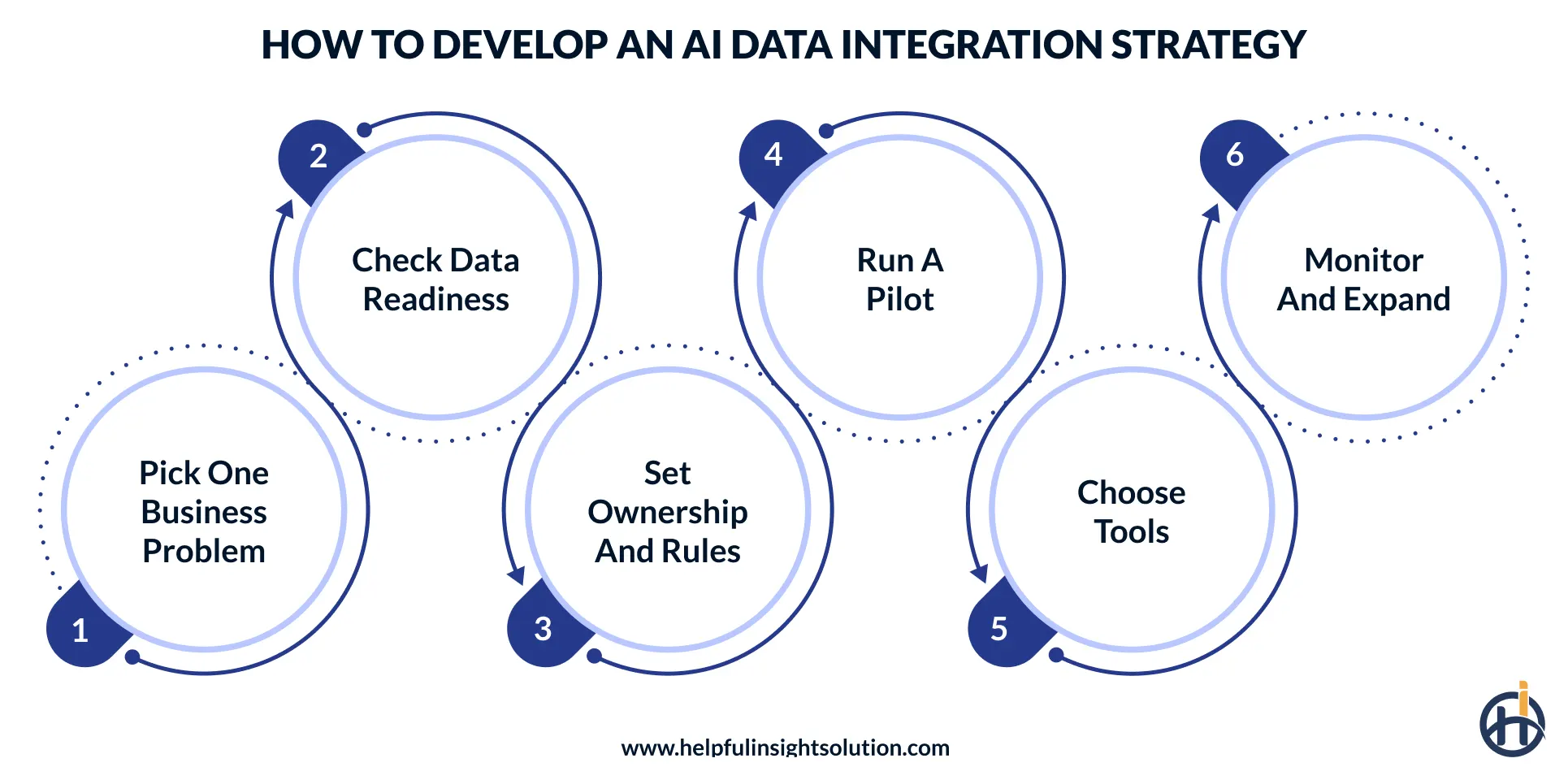
1. Pick one business problem
Choose a use case with a clear owner and a measure, such as faster claims triage or fewer stock-outs. A narrow goal tells the team which sources matter and which can wait. Writing the measure down first also makes it easier to judge the pilot later. Without a measure, a project has no way to show it worked.
2. Check data readiness
For each source, ask whether the data is accurate, complete, current, documented, and accessible. Rate each answer and fix the lowest first. Data that passes these tests is AI-ready data for that use case, and data that fails them is the usual reason projects stall. Do this check before any tool is bought.
3. Set ownership and rules
Name a data owner for each domain. Agree on definitions for terms like customer and active, since two teams often use the same word for different things. Decide who approves changes to shared mappings, and write that rule down. Unwritten rules lead to quiet conflicts between teams.
4. Run a pilot
Use two or three sources and one target. Keep a person in the review step and record how often the model’s suggestions are accepted. If the first use case is a document assistant, plan retrieval and permissions early, because any generative AI development work depends on both. Set a start date and an end date so the pilot does not drift.
5. Choose tools
Match tools to the pattern and to team skills. Check security, cost, and exit options before signing anything. AI-driven data integration works best when each automated step can be reviewed and undone, so favor tools that show their reasoning. A short trial on sample data settles most doubts.
6. Monitor and expand
Track quality and cost every week, and add sources only when results hold. These AI data integration best practices help at this stage: version mappings like code, log lineage for every dataset, test on samples with known answers, and review cost on a set schedule. Share results with the teams that use the data, since their feedback shows where quality still falls short.
How to Choose the Right AI Data Integration Platform or Partner
An AI data integration platform covers the full flow from ingestion to delivery. AI data integration tools usually cover one part, such as mapping or quality checks, so many teams use a platform for the core and add tools for gaps. There is no single best AI data integration software. Test two or three options on a sample of real company data and score each one the same way.
Outside help comes in several forms. AI data integration services range from short advisory work to fully managed pipelines. AI data integration solutions from large vendors bundle software with support. When picking an AI data integration service provider, ask for a reference project with a similar data mix and for the names of the engineers who will do the work.
The table below works for AI data integration tools and for full platforms.
| What to check | What to look for | Question to ask |
| Connectors | Ready-made connectors for current systems, including legacy ones | Is every source in the first project supported without custom work? |
| Explainability | The tool shows why it suggested a match or mapping | Can a reviewer see the reason for each suggestion? |
| Human review | Confidence scores and approval steps before changes go live | Can low-confidence results be sent to a person? |
| Security and compliance | SOC 2 or ISO 27001 reports, encryption, and role-based access; HIPAA support for health data and PCI DSS for card data | Can we see the latest audit report? |
| Lineage and audit | Any value can be traced back to its source | Is lineage recorded automatically? |
| Deployment | Cloud, hybrid, or on-premises, based on company policy | Does it run where the data must stay? |
| Pricing | Whether cost scales by rows, compute, or connectors | What would the bill be at three times today’s volume? |
| Portability | Mappings and metadata can be exported | What do we keep if we leave? |
| Provider experience | A reference project with similar data, and the names of the engineers who will do the work | Can we speak to a past client? |
| Team model | Some companies prefer to hire dedicated developers who work inside the internal team and keep the knowledge in-house | Who owns the pipelines after launch? |
How to Measure ROI of AI Data Integration
AI data integration ROI is easiest to prove when a baseline exists before the project starts. Record current numbers first, then compare after each phase. Tie at least one measure to a business result. For a support assistant, such as one built through AI chatbot development, track deflected tickets and resolution time.
Formula: ROI = (benefit − cost) ÷ cost × 100
Example: A team spends 400 hours a quarter on mapping and fixes at $75 an hour, which is $30,000. Automation cuts that by 40%, a saving of $12,000. Tooling and review cost $6,000. The net gain is $6,000, so ROI is 100%.
Some Key Measures to track:
- Engineering hours per new source
- Time from data request to delivery
- Error rate and number of incidents
- Pipeline failures and time to recover
- Model accuracy and time to production
- Total cost: licenses, compute, and staff time
Gains often appear after the first quarter, once reviewers trust the suggestions. Report results at fixed intervals so leadership sees the trend.
Conclusion
AI can only work with data it can trust. In most companies, that data is spread across systems that were never built to work together, and that is where AI projects get stuck. AI data integration helps by handling repetitive tasks, such as matching fields and cleaning records, and by catching mistakes before they reach a model.
The best way to begin is small. Choose one use case, run it on a few sources, and see what the results show. Then add more. If you compare AI data integration solutions, test each one on your own data, because a demo with clean sample data won’t show how it handles your real systems. At Helpful Insight, we build AI and software solutions for businesses, and every project starts the same way, with a clear look at the data behind it.
FAQs
AI data integration uses machine learning and automation to connect, map, clean, and deliver data from many systems. It reduces manual work and prepares data for analytics and AI models.
There are six: discover, ingest, map, clean, govern, and deliver. Models make suggestions, and people review low-confidence results.
Yes. ETL is a method for moving and changing data. AI adds learning to that method, such as suggesting mappings and spotting errors. Many AI-based tools still run ETL or ELT underneath.
No. Large enterprises have more sources, so the gain is larger. Mid-size companies also benefit when they run several systems with a small data team.
It depends on the number of sources and the state of the data. A pilot usually takes weeks to a few months. A full program runs in phases and takes longer.
Compare connector coverage, security reports, human review controls, and export options. Ask for a reference project with similar data, and run a pilot on sample data before signing a long contract.