


Some people enjoy clicking and posting pictures on social media, while others don’t. But one thing is certain, everyone wants their photos to look great and make them look beautiful, right?
Sometimes the photos just don’t turn out the way you want, no matter how many times you try or how many poses you strike. If you think improving your picture requires high-tech editing tools, then no, you can simply download and use camera filter apps.
Those aesthetic and stunning photos you see on Instagram? They’re often the result of editing and photo filter apps. With a wide variety of filters and effects to choose from, you can easily polish your photos and give them a professional touch. The best part about these Android and iPhone photo filter apps is that they enhance your images while still maintaining a natural look.
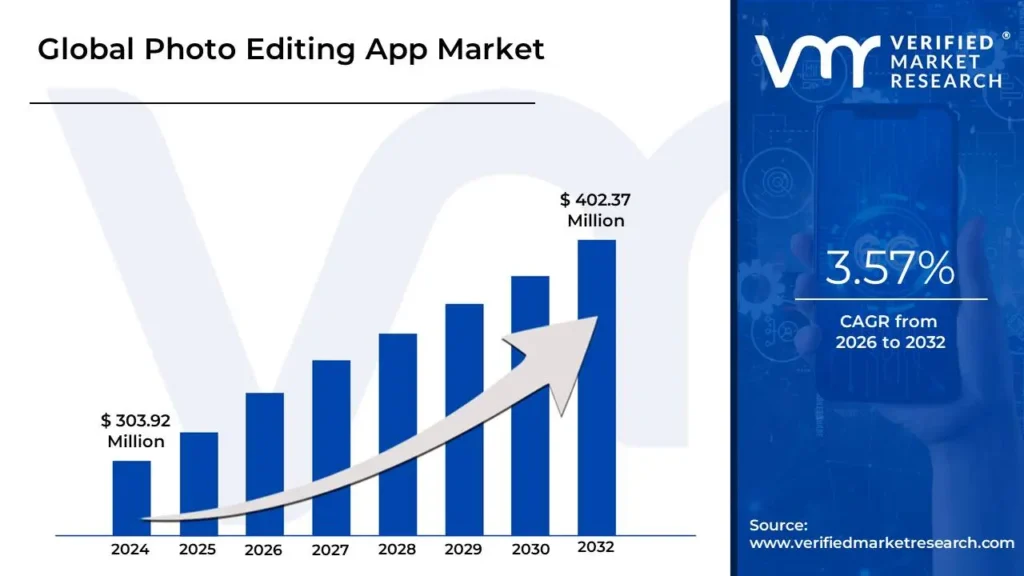
According to a report by Verified Market Research, the global photo editing app market is expected to reach $402.37 million by 2032. Impressive, isn’t it? These numbers clearly indicate that if you’re considering building a camera filter app, now is the perfect time to move forward, especially by partnering with a custom mobile app development company.
So, if you’re looking for the best free camera filter apps, this blog is just for you. Keep reading till the end!
What Are Camera Filter Apps?
Basically, camera filter apps are mobile applications that help users to make their photos and videos look better. You can use them to add different effects, like black and white, vintage, or bright colors. Some filters make your skin look smooth or change the lighting to make your picture shine.
You can even see how the filter looks while you’re taking the photo, or you can add it later. It’s similar to the filters you use on Instagram. Some camera apps with filters utilize AI technology to fix colors, brightness, and even make your background blurry.
Using photo filter apps to edit pictures is very easy; you don’t need any special skills. Just open the app, choose a filter, and within a few minutes your photo will look like it was taken by a pro photographer.
9 Best Photo Filter Apps To Use
Tired of using different photography filters app but still haven’t found the right one that will improve your photos just the way you want ? Not to worry! In the table below, we have created a list of the best camera filter apps. You can try these apps and pick the one that fulfills your needs.
| App Name | No. Of Downloads | Platform Compatibility | Price |
| VSCO | 100M+ | Android and iOS | Free to use |
| Snapseed | 100M+ | Android and iOS | Free to use |
| Facetune | 50M+ | Android and iOS | Free to use |
| Picsart | 1B+ | Android and iOS | Free to use |
| Capcut | 1B+ | Android and iOS | Free to use |
| Pixtica | 1M+ | Android | Free to use |
| Adobe Lightroom | 100M+ | Android and iOS | Free to use |
| BeautyPlus | 100M+ | Android and iOS | Free to use |
| Retrica | 100M+ | Android and iOS | Free to use |
Top Camera Filter Apps To Enhance Your Photos And Videos
In this section, we will discuss in detail the best photo filter mobile applications mentioned above. These apps will beautify your photos in a matter of a few seconds, like magic.
1. VSCO
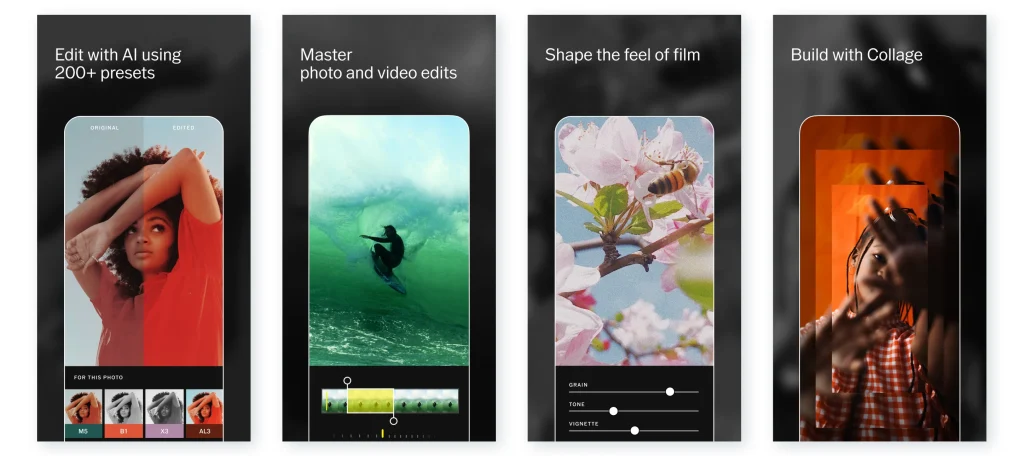
VSCO is a highly popular Android and iPhone photo filter app that is used to improve the look of photos and videos. It offers a wide range of editing tools, along with some cool filters inspired by vintage film styles.
The best part about this vintage camera app is that you can even create your own filters or use the built-in ones. However, it might take some time to learn all its features, especially for beginners.
Features
- Wide range of filters and presets.
- Adjustable filters for unique looks.
- Option to save and share presets.
Pros
- Easy to use.
- Free version available.
- Supports both mobile and desktop.
Cons
- Limited free filters and tools.
- Slow processing with high-quality images.
2. Snapseed
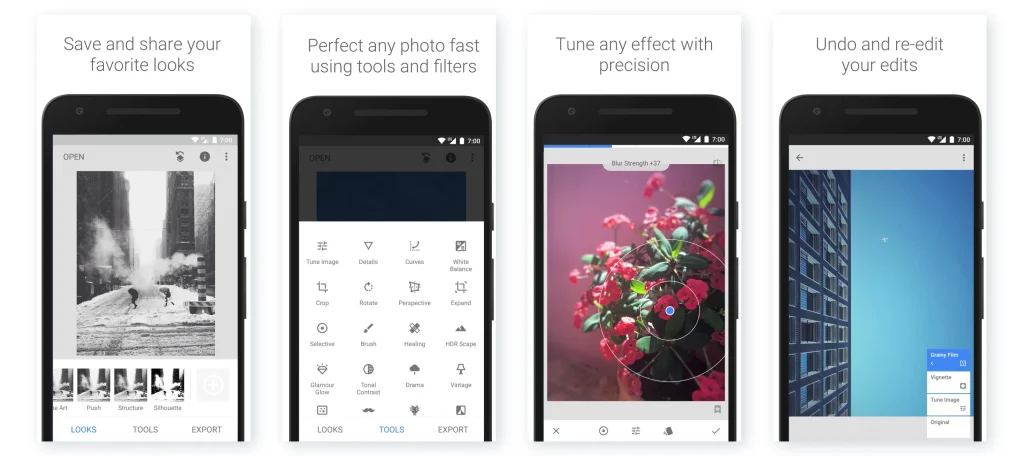
Snapseed is one of the best camera filter apps made by Google, providing simple and powerful tools to edit your photos and videos. It comes with a range of smart filters to enhance images, and even has the ability to make specific adjustments to parts of an image.
Isn’t it great? Snapseed’s features are user-friendly, and it doesn’t have any ads, making it easy for beginners to start editing and applying filters.
Features
- Adjustable brightness, contrast, and saturation.
- Selective editing for specific areas.
- Tools for cropping and rotating.
Pros
- Simple interface.
- Professional quality editing tools.
- Advanced filters.
Cons
- No desktop version available.
- Learning curve for new users.
3. Facetune
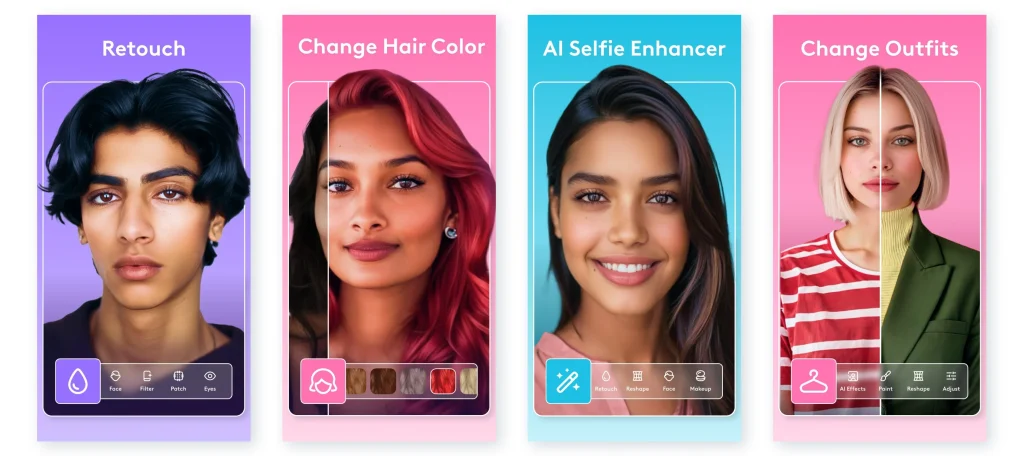
If you are in search of a picture filter app with advanced filtering tools, then Facetune is the right choice for you. It is an app specifically designed for editing selfies and portraits. It’s popular for its ability to smooth skin, whiten teeth, and even alter facial expressions.
If you want to retouch your photos or videos quickly or make detailed adjustments, Facetune offers a variety of options, from simple presets to more advanced features.
Features
- Skin smoothing and virtual makeup.
- Teeth whitening.
- Professional-quality filters and effects.
Pros
- Best for portrait and selfie edits.
- Huge library of filters.
- Simple to use for quick edits.
Cons
- Limited free tools.
- Can make images look unnatural at times.
4. Picsart
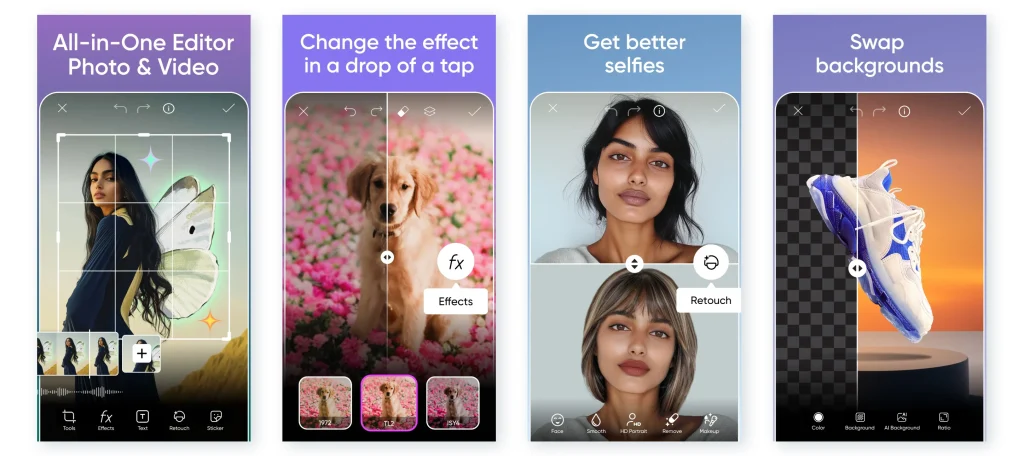
PicsArt is a widely used and loved camera filter app that provides access to a wide range of tools to refine and beautify pictures. It’s great for anyone who wants to add artistic effects to their photos or create unique and engaging content for social media.
Apart from this, on PicsArt, you can also find tools to remove objects or backgrounds, make collages, and even add stickers. It’s definitely a must-try app for image enhancement.
Features
- AI-powered photo enhancer.
- Artistic effects and filters.
- Collage maker with fun designs.
Pros
- Easy to make digital art.
- High customization options.
- Offers a huge filter library.
Cons
- Some features require a subscription.
- Ads can be intrusive.
5. Capcut
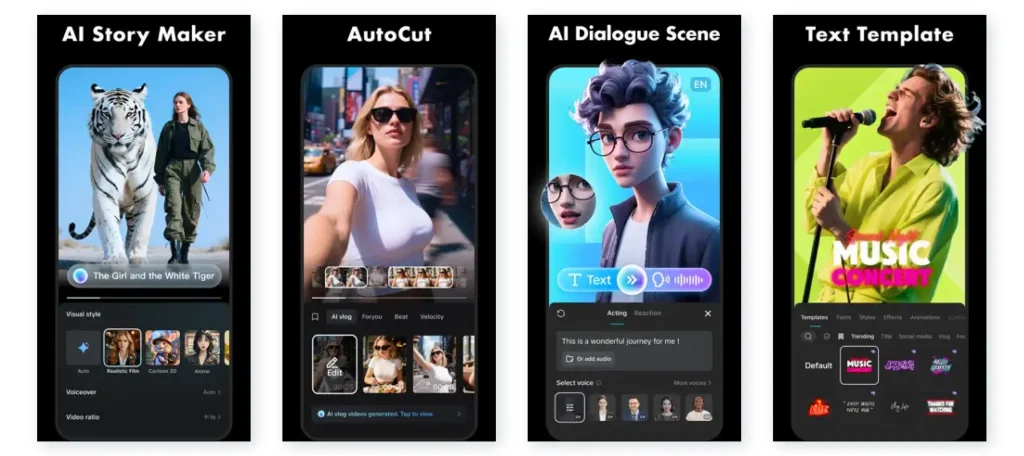
If you love making and editing Instagram Reels or YouTube videos, you should definitely give the CapCut app a try. It’s an easy-to-use app with the best photography filters that let you apply filters that change your photo’s look instantly.
It is packed with AI tools that can help smooth your skin and enhance your photos. CapCut even lets you preview how the filters will look in real-time before applying them, so you can make the perfect choice.
Features
- Large selection of filters and effects.
- Adjust brightness and contrast.
- Music and sound effects.
Pros
- User-friendly interface.
- Free version available.
- Great for both beginners and pro editors.
Cons
- Some features need premium access.
- Limited advanced editing tools.
Read Also: How Much Does It Cost To Create Social Media Platforms?
6. Pixtica
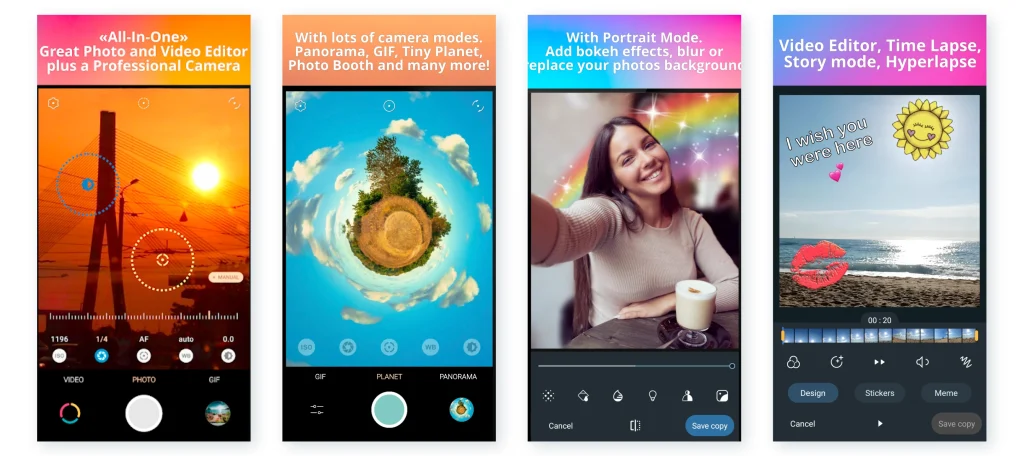
The next best camera filter app for iPhone and Android on our list is Pixtica, which lets you take amazing photos and then enhance them. You can apply different photography filters, like retro or fisheye, and see how they look in real time before you even take the picture.
The app also includes manual camera controls, so you can adjust things like ISO and shutter speed. Pixtica’s simple interface makes it perfect for both beginners and experienced users.
Features
- Real-time filter preview.
- Portrait enhancements.
- GIF creation with effects.
Pros
- Simple to use.
- Fun filters for creative photos.
- Great for both beginners and experts.
Cons
- Limited to Android devices.
- Some filters require premium.
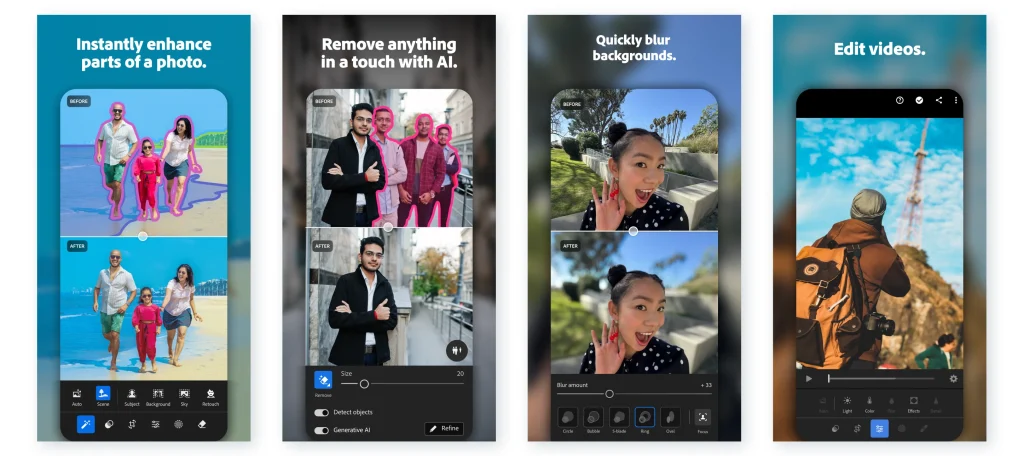
7. Adobe Lightroom
Looking for a camera filter app that helps you edit photos just like a professional photo editor? Then Adobe Lightroom is perfect for you. You can use its presets to quickly change the style of your photo, or make detailed adjustments to things like brightness and color.
The highlight of the Adobe Lightroom app is that you can even edit a bunch of photos at once with the batch editing feature. You can fine-tune every aspect of your image using this app.
Features
- Create custom photo presets.
- Advanced color correction tools.
- RAW file support.
Pros
- Beginner-friendly.
- Professional photo editing tools.
- Large library of free presets.
Cons
- Requires a subscription to access full features.
- Slower processing with large files.
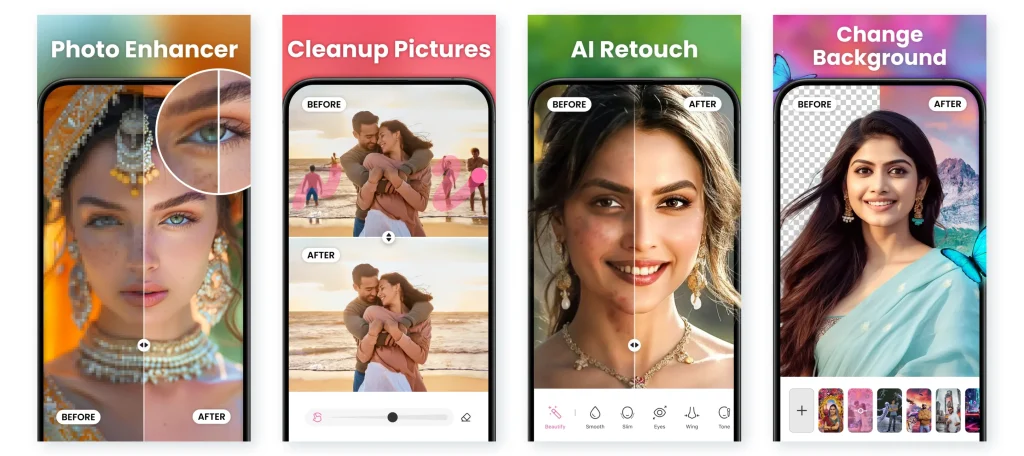
8. BeautyPlus
Do you love taking selfies and portraits? If yes, then BeautyPlus is the best app for you to enhance pictures by applying filters. It provides access to many AI-powered features to help you smooth your skin and even change facial features.
You can choose from a range of over 400 creative filters that make your photos more beautiful. BeautyPlus also allows you to adjust the height and shape of your body, and it even provides templates to help you recreate trendy looks.
Features
- Image and video enhancement.
- Filters for cartoon and art effects.
- Skin smoothing and teeth whitening.
Pros
- Broad range of ready-made templates.
- Has AI tools for instant touch-ups.
- Easy-to-use for beginners.
Cons
- Over-editing can make photos look unnatural.
- Some features need a subscription.
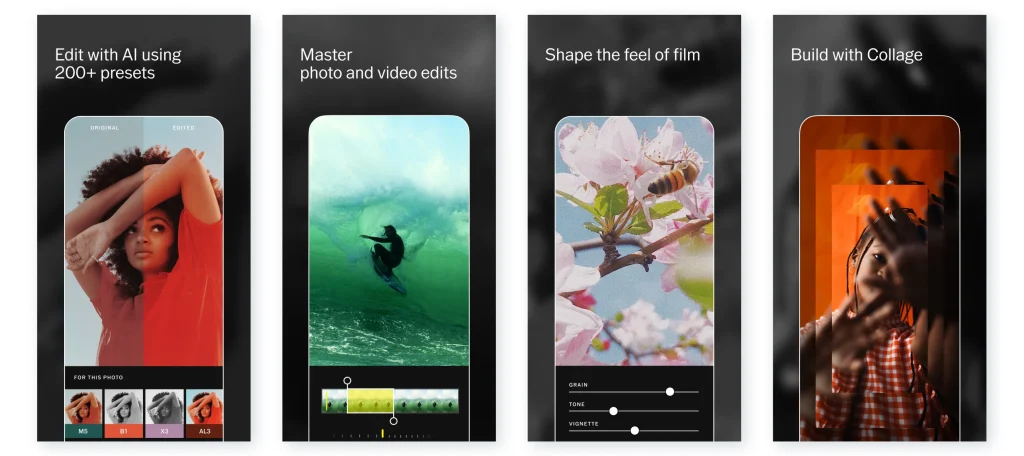
9. Retrica
Just think how wonderful it would be if you got an app that can apply filters in real-time as you click a picture or shoot a video. The Retrica vintage camera filter app does exactly the same. You can see how the filter will look in real-time, so you know exactly what the photo will look like before you snap it.
Retrica offers a large variety of retro-style filters that make your photos look like old-school Polaroids. The app is free to use, but to access some features, you may require a subscription.
Features
- Real-time filter preview.
- Access to a wide range of free filters.
- Collage maker.
Pros
- Easy to use for quick edits.
- Can even edit existing photos/videos.
- Great for retro-style photos.
Cons
- Limited advanced editing features.
- Ads in free version.
Develop a High-Quality Camera Filter App With Helpful Insight
Camera filter apps are all the rage nowadays, and most of the people have at least one camera filter apps downloaded onto their smartphones, especially Gen Z. So, if you are thinking of developing a photo filter app, then go ahead, as it is a great idea, as the demand for good camera filter apps is always high.
You might wonder, though, with so many apps already out there, will your app stand out? The answer is yes, and Helpful Insight can help you make that happen. We are a top-rated mobile app development company in USA that knows the art of developing premium-quality, feature-rich and scalable camera filter apps. Our team comprises expert dedicated app developers who possess years of industry experience in building fun camera filters app that is loved by users worldwide.
We utilize an advanced tech stack and powerful capabilities of AI to build your app. The apps we develop are designed to make it easy for users to apply filters and edit photos/videos, giving them the aesthetic results they want.
So, are you ready to make the camera filter app that will top the app store rankings? Get in touch with our team today to share your project requirements.
FAQs
Understanding the cost to develop a camera filter app is very important before starting the development process. There are numerous factors that impact the cost, such as app complexity, features added, platform selected, UI/UX design, tech stack chosen, app developer’s location, and many more. After analyzing all these variables, the cost is calculated. On average, the cost to make the best face filters app can start around $15,000.
To get a custom quote, feel free to connect with the team at Helpful Insight or try using our free cost calculator.
Applying a filter to your photo or video is easy, no matter which app you’re using. First, open your image or video in an editing app. Then, look for the “Filters” or “Effects” option. Once you find it, choose a filter that you like. You can adjust how strong the filter looks by moving a slider. After you’re happy with how it looks, save your work. The exact steps might vary depending on the app, but the process is usually the same. If you’re unsure, you can always find tutorial videos on YouTube or in the app itself.
There are so many apps with camera filters available in the market, but the best ones include VSCO, Facetune, Retrica, Prisma, and Snapseed.
Choosing the best free camera filter app is not difficult, but there are a few things you should consider. First, think about what kind of editing you need, whether you want a simple or advanced one. Carefully review the features of the apps you’re interested in and make sure they offer what you need. Most importantly, check if the app is easy to use and whether it’s free or requires a subscription. This will help you choose the right photography filters app based on your editing needs and budget.